
Do you enjoy calming background sounds like rain, campfires, or ocean waves? If so, and you’re using macOS, you’ll be happy to know that it already includes built-in background sounds. They’re just a bit hidden in System Settings.
Not in the mood for reading? Watch the video instead.
To listen to background sounds on macOS, follow these steps:
- Open
System Settings.appby clicking the Apple logo→System Settings… - Click
Control Centerfrom the sidebar. - Scroll to the bottom until you see the
Hearingsection. - Check
Show in Menu Barunder theHearingsection.
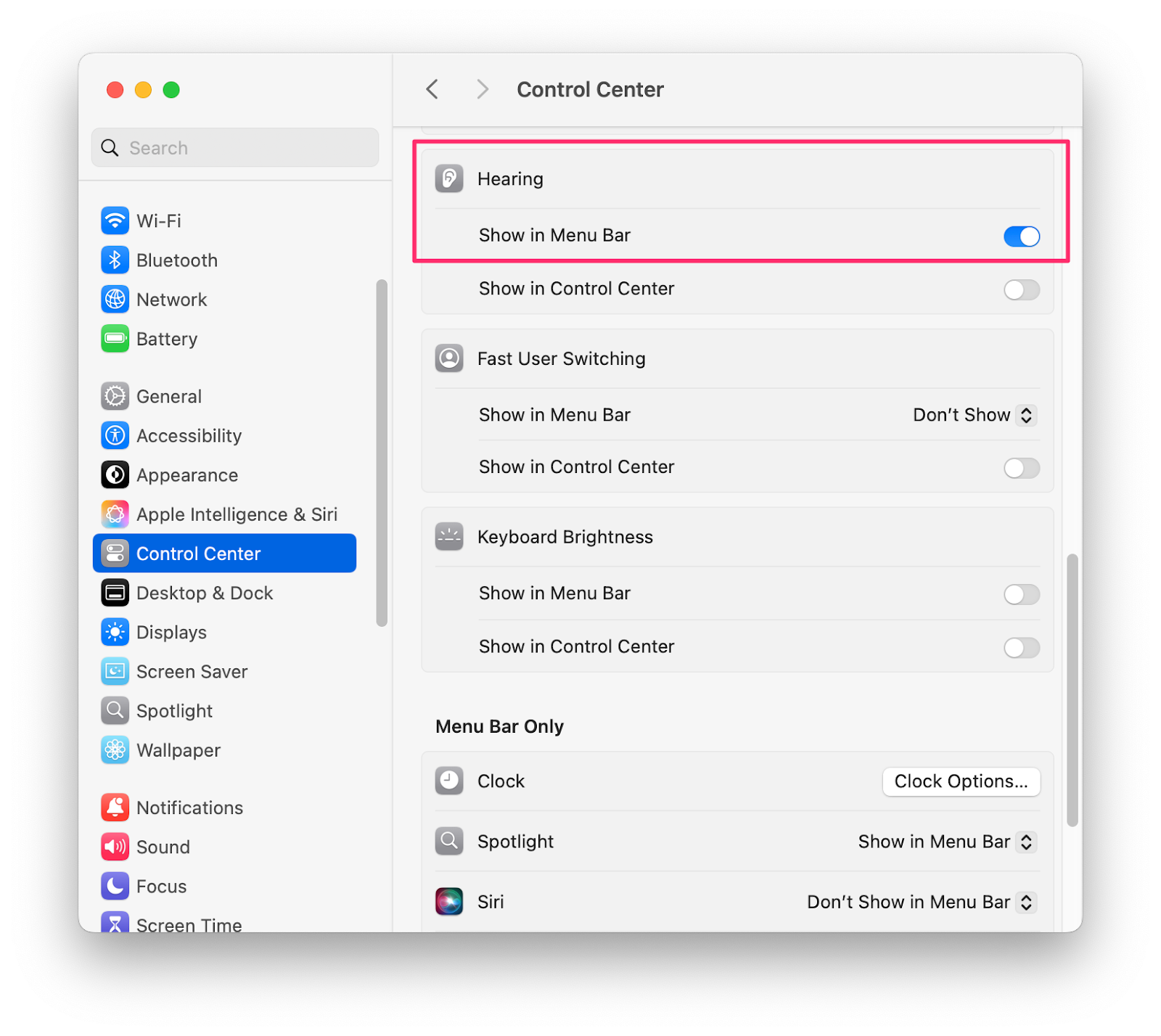
- Look at the top menu bar and find the
ear 👂 icon. - Click it, then click the
circle button with musical notesto turn background sounds on or off. - You can also choose which sound you’d like to listen to!
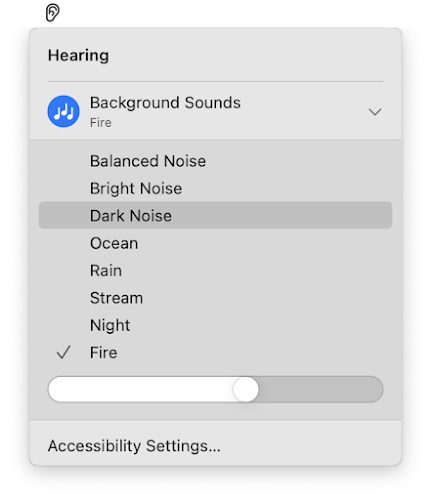
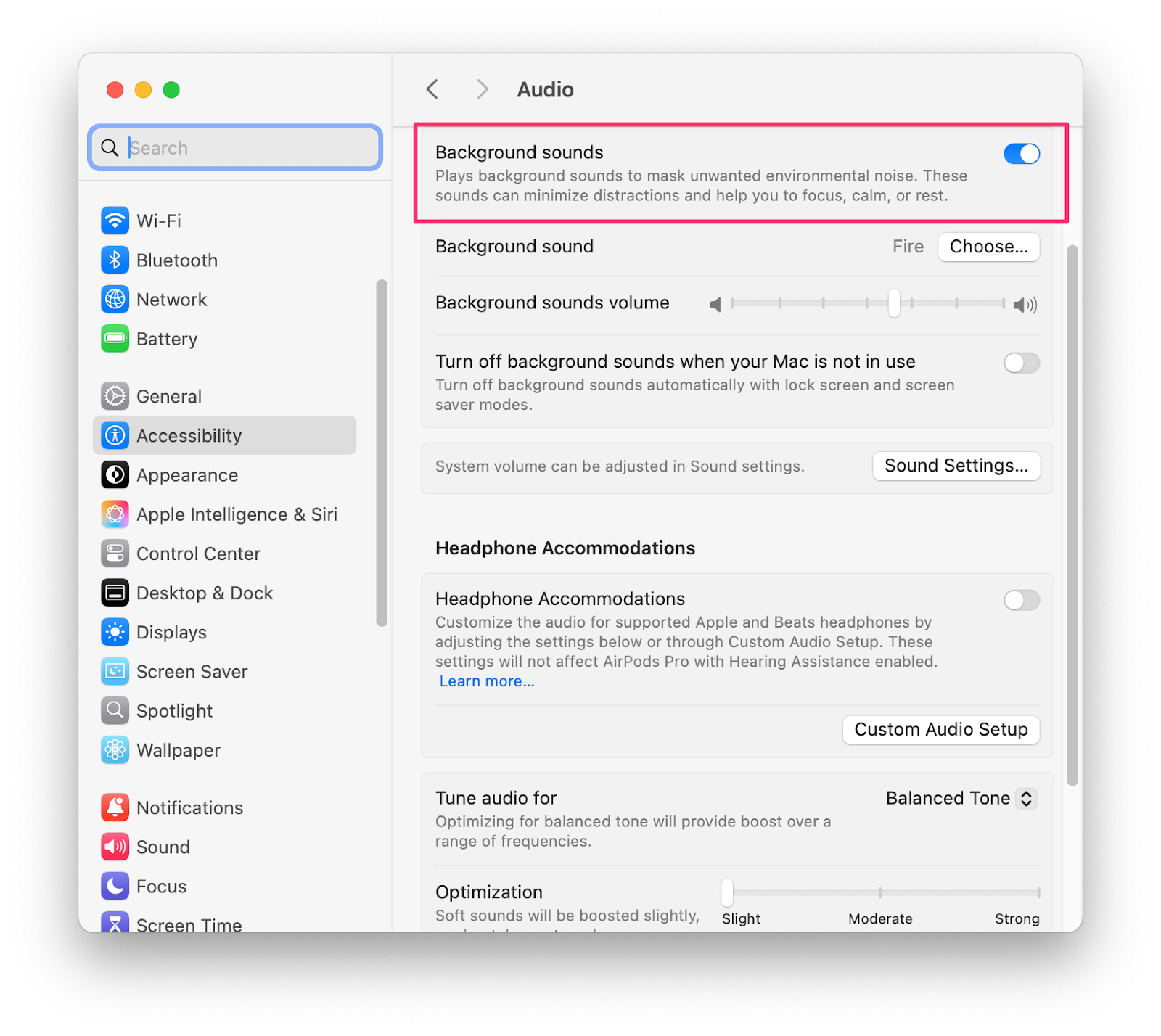
Alternatively, you can activate it through the Accessibility menu:
- Open
System Settings.appby clicking the Apple logo→System Settings… - Click
Audiounder theAccessibilitysection. - Toggle
Background Soundson or off.
Video

Conclusion
As usual, if you have any questions or a better method, leave a comment below. Thanks for reading, and see you next time!