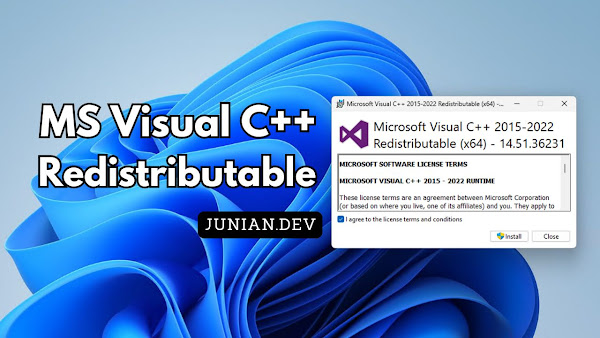
I dedicate this page to listing all Microsoft Visual C++ Redistributable installers.
You probably just installed some old software or games, only to find that they refuse to run. Sometimes, they complain about missing Visual C++ Redistributable runtimes.
So, in this post, I’ve collected all available Microsoft Visual C++ Redistributable packages directly from Microsoft’s website. Enjoy!
Table of Contents
- Download Microsoft Visual C++ 2015-2022 Redistributable (v14)
- Download Microsoft Visual C++ 2013 Redistributable (v12)
- Download Microsoft Visual C++ 2012 Redistributable (v11)
- Download Microsoft Visual C++ 2010 Redistributable (v10)
- Download Microsoft Visual C++ 2008 Redistributable (v9)
- Download Microsoft Visual C++ 2005 Redistributable (v8)
Microsoft Visual C++ Redistributable Download Links
All Microsoft Visual C++ Redistributable installers can be downloaded from the official documentation or Microsoft Dev Essentials (with a Microsoft account).
But, knowing Microsoft, they could one day change the page or hide it, just like they did with the Visual Studio Community installers.
Anyway, you can also download the same Visual C++ Redistributable installers from this page. All files are original and genuine, hosted directly on Microsoft servers.
You can either download and install the Visual C++ Redistributable manually or install it using the official winget package manager.
Download Microsoft Visual C++ 2015-2022 Redistributable (v14)
- Name: Microsoft Visual C++ 2015-2022 Redistributable
- Unlike earlier Visual Studio releases, which receive redistributable updates only occasionally, the Visual C++ v14 Redistributable version number is not included below because it is updated frequently.
- Install this version for all applications built using MSVC Build Tools available in:
- Visual Studio 2017
- Visual Studio 2019
- Visual Studio 2022
- Visual Studio 2026
- It should also work for applications built with Visual Studio 2015 (VC++ 14.0), even though it is no longer supported.
| Architecture | Version | Link |
|---|---|---|
| x86 | v14 (Latest) | vcredist_x86.exe |
| x64 | v14 (Latest) | vcredist_x64.exe |
| arm64 | v14 (Latest) | vcredist_arm64.exe |
Winget Install Visual C++ 2015+ Redistributable
You can also install the Microsoft Visual C++ 2015+ Redistributable through the winget package manager.
Use one of the following commands based on the architecture you need.
Microsoft Visual C++ 2015-2022 Redistributable (x86)
winget install Microsoft.VCRedist.2015+.x86Microsoft Visual C++ 2015-2022 Redistributable (x64)
winget install Microsoft.VCRedist.2015+.x64Microsoft Visual C++ 2015-2022 Redistributable (arm64)
winget install Microsoft.VCRedist.2015+.arm64
Download Microsoft Visual C++ 2013 Redistributable (v12)
- Name: Microsoft Visual C++ 2013 Redistributable
- This package is also known as Visual Studio 2013 (VC++ 12.0)
- Last version:
12.0.40664.0 - No longer supported
- Used by applications developed with Visual Studio 2013
| Architecture | Version | Link |
|---|---|---|
| x86 | 12.0.40664.0 | vcredist_x86.exe |
| x64 | 12.0.40664.0 | vcredist_x64.exe |
Winget Install Visual C++ 2013 Redistributable
You can also install the Microsoft Visual C++ 2013 Redistributable through the winget package manager.
Use one of the following commands based on the architecture you need.
Microsoft Visual C++ 2013 Redistributable (x86)
winget install Microsoft.VCRedist.2013.x86Microsoft Visual C++ 2013 Redistributable (x64)
winget install Microsoft.VCRedist.2013.x64
Download Microsoft Visual C++ 2012 Redistributable (v11)
- Name: Microsoft Visual C++ 2012 Redistributable
- Also known as Visual Studio 2012 (VC++ 11.0) Update 4
- Last version:
11.0.61030.0 - No longer supported
- Used by applications developed with Visual Studio 2012
| Architecture | Version | Link |
|---|---|---|
| x86 | 11.0.61030.0 | vcredist_x86.exe |
| x64 | 11.0.61030.0 | vcredist_x64.exe |
Winget Install Visual C++ 2012 Redistributable
You can also install the Microsoft Visual C++ 2012 Redistributable through the winget package manager.
Use one of the following commands based on the architecture you need.
Microsoft Visual C++ 2012 Redistributable (x86)
winget install Microsoft.VCRedist.2012.x86Microsoft Visual C++ 2012 Redistributable (x64)
winget install Microsoft.VCRedist.2012.x64
Download Microsoft Visual C++ 2010 Redistributable (v10)
- Name: Microsoft Visual C++ 2010 Redistributable
- This package is also known as Visual Studio 2010 (VC++ 10.0) SP1
- Last version:
10.0.40219.325 - No longer supported
- Used by applications built with Visual Studio 2010
| Architecture | Version | Link |
|---|---|---|
| x86 | 10.0.40219.325 | vcredist_x86.exe |
| x64 | 10.0.40219.325 | vcredist_x64.exe |
Winget Install Visual C++ 2010 Redistributable
You can also install the Microsoft Visual C++ 2010 Redistributable through the winget package manager.
Use one of the following commands based on the architecture you need.
Microsoft Visual C++ 2010 Redistributable (x86)
winget install Microsoft.VCRedist.2010.x86Microsoft Visual C++ 2010 Redistributable (x64)
winget install Microsoft.VCRedist.2010.x64
Download Microsoft Visual C++ 2008 Redistributable (v9)
- Name: Microsoft Visual C++ 2008 Redistributable
- Also known as Visual Studio 2008 (VC++ 9.0) SP1
- Last version:
9.0.30729.5677 - No longer supported
- Used by applications built with Visual Studio 2008
| Architecture | Version | Link |
|---|---|---|
| x86 | 9.0.30729.5677 | vcredist_x86.exe |
| x64 | 9.0.30729.5677 | vcredist_x64.exe |
Winget Install Visual C++ 2008 Redistributable
You can also install the Microsoft Visual C++ 2008 Redistributable through the winget package manager.
Use one of the following commands based on the architecture you need.
Microsoft Visual C++ 2008 Redistributable (x86)
winget install Microsoft.VCRedist.2008.x86Microsoft Visual C++ 2008 Redistributable (x64)
winget install Microsoft.VCRedist.2008.x64
Download Microsoft Visual C++ 2005 Redistributable (v8)
- Name: Microsoft Visual C++ 2005 Redistributable
- Also known as Visual Studio 2005 (VC++ 8.0) SP1
- Last version:
8.0.50727.6195 - No longer supported
- Used by applications built with Visual Studio 2005
- Download links are also available at https://www.microsoft.com/en-us/download/details.aspx?id=26347
| Architecture | Version | Link |
|---|---|---|
| x86 | 8.0.50727.6195 | vcredist_x86.exe |
| x64 | 8.0.50727.6195 | vcredist_x64.exe |
| ia64 | 8.0.50727.6195 | vcredist_ia64.exe |
Winget Install Visual C++ 2005 Redistributable
You can also install the Microsoft Visual C++ 2005 Redistributable through the winget package manager.
Use one of the following commands based on the architecture you need.
Microsoft Visual C++ 2005 Redistributable (x86)
winget install Microsoft.VCRedist.2005.x86Microsoft Visual C++ 2005 Redistributable (x64)
winget install Microsoft.VCRedist.2005.x64
Final Thoughts
That’s all for today’s post. Hopefully, whatever software you’re trying to install will work correctly without any issues.
As usual, if you have any questions or know of a better method, leave a comment below. Thanks for reading, and see you next time!
References
Disclaimer
This website is a privately owned independent resource blog. This site is not affiliated with, authorized, endorsed, or sponsored by Microsoft Corporation. All product names, logos, and brands are property of their respective owners.
The links provided on this page are direct deep-links to Microsoft's official, public download servers. We do not host, re-upload, or modify any software files on this server. Users are downloading the official, unaltered binaries directly from Microsoft.