If you’re using an older version of macOS and want to access a Windows PC using the Microsoft Remote Desktop client app, you may run into compatibility issues.
Recently, Microsoft rebranded the Microsoft Remote Desktop app as the new Windows App.
At the time of writing, the Windows App requires macOS 13 (Ventura) or later to install and run.
If you prefer the modern app, you can use the Windows App on macOS instead.
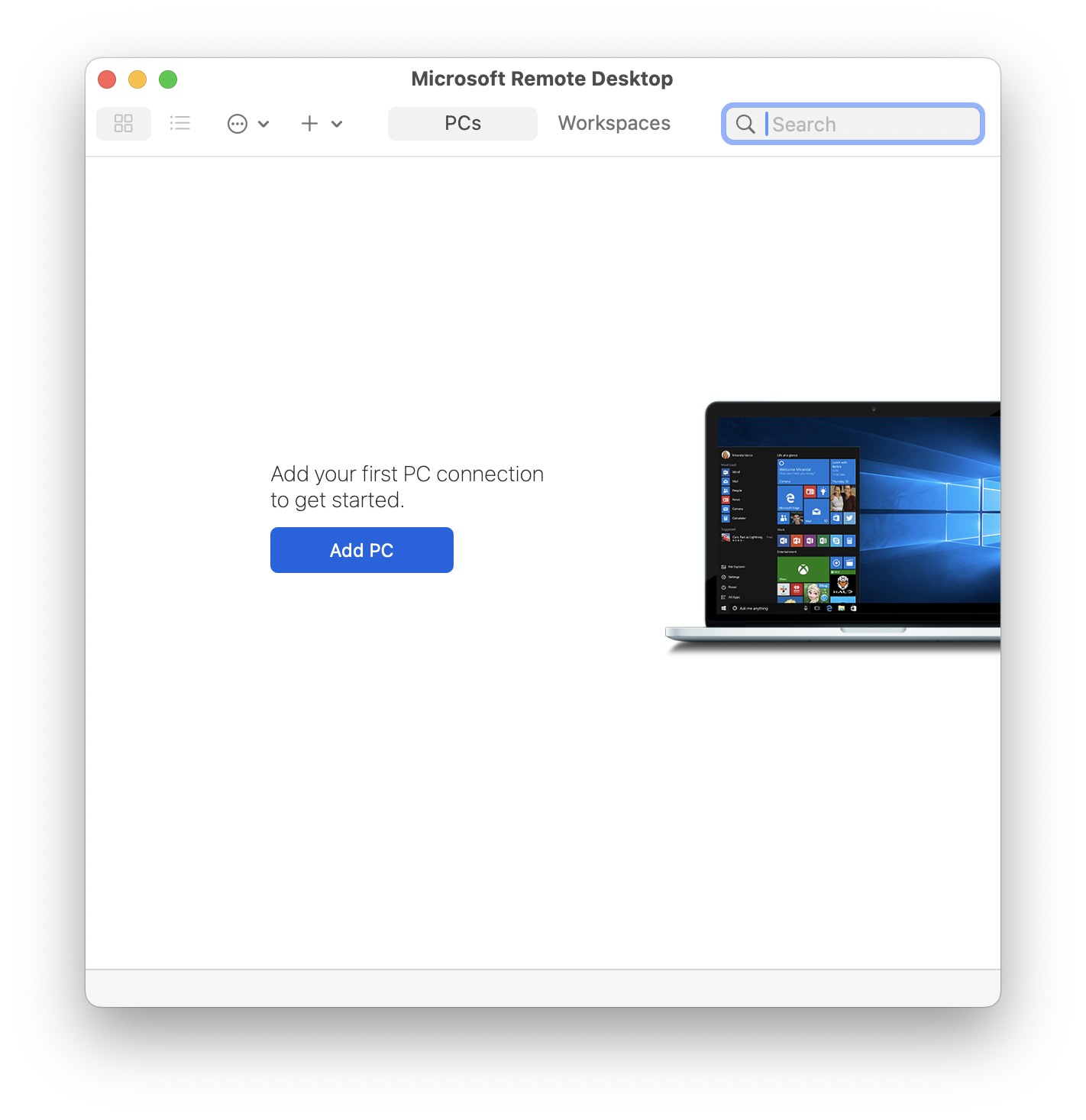
Manual Download and Installation
If you’re running an older version of macOS, don’t worry—I’ve compiled a list of the final compatible versions of Microsoft Remote Desktop for older systems. Simply download and install the version that matches your macOS release.
Looking for specific version of Remote Desktop Client for Mac? Take a look at the All Remote Desktop Client for Mac download page
These files are hosted directly by Microsoft under the domain officecdn.microsoft.com, which is a CDN owned by Microsoft. I don’t host these files myself, nor are they from random third-party sources, so they should be safe to use.
- 📦 Download Microsoft Remote Desktop v10.9.10 for macOS 12 Monterey
- 📦 Download Microsoft Remote Desktop v10.9.5 for macOS 11 Big Sur
- 📦 Download Microsoft Remote Desktop v10.8.4 for macOS 10.15 Catalina
- 📦 Download Microsoft Remote Desktop v10.8.4 for macOS 10.14 Mojave
- 📦 Download Microsoft Remote Desktop v10.5.2 for macOS 10.13 High Sierra
- 📦 Download Microsoft Remote Desktop v10.3.9 for macOS 10.12 Sierra
- 📦 Download Microsoft Remote Desktop v10.2.13 for Mac OS X 10.11 El Capitan
Microsoft Remote Desktop Client for Mac - All Version Releases
If you need a certain version Remote Desktop client for Mac to run, you can choose to download from the links below.
Jump to Remote Desktop Client for Mac Release:
2024 | 2023 | 2022 | 2021 | 2020 | 2019 | 2018
Remote Desktop Client for Mac 2024 Releases
| Version | Release Date | Minimum OS | Download |
|---|---|---|---|
| 10.9.10 | 2024-08-26 | macOS 12.0 | 📦 Universal |
| 10.9.9 | 2024-07-18 | macOS 12.0 | 📦 Universal |
| 10.9.8 | 2024-06-12 | macOS 12.0 | 📦 Universal |
| 10.9.7 | 2024-05-16 | macOS 12.0 | 📦 Universal |
| 10.9.6 | 2024-02-16 | macOS 12.0 | 📦 Universal |
Remote Desktop Client for Mac 2023 Releases
| Version | Release Date | Minimum OS | Download |
|---|---|---|---|
| 10.9.5 | 2023-12-13 | macOS 11.0 | 📦 Universal |
| 10.9.4 | 2023-10-17 | macOS 11.0 | 📦 Universal |
| 10.9.3 | 2023-09-21 | macOS 11.0 | 📦 Universal |
| 10.9.2 | 2023-09-07 | macOS 11.0 | 📦 Universal |
| 10.9.0 | 2023-08-14 | macOS 11.0 | 📦 Universal |
| 10.8.4 | 2023-06-14 | macOS 10.14 | 📦 Universal |
| 10.8.3 | 2023-05-20 | macOS 10.14 | 📦 Universal |
| 10.8.2 | 2023-04-12 | macOS 10.14 | 📦 Universal |
| 10.8.1 | 2023-03-16 | macOS 10.14 | 📦 Universal |
Remote Desktop Client for Mac 2022 Releases
| Version | Release Date | Minimum OS | Download |
|---|---|---|---|
| 10.8.0 | 2022-11-17 | macOS 10.14 | 📦 Universal |
| 10.7.10 | 2022-10-19 | macOS 10.14 | 📦 Universal |
| 10.7.9 | 2022-08-03 | macOS 10.14 | 📦 Universal |
| 10.7.8 | 2022-07-22 | macOS 10.14 | 📦 Universal |
| 10.7.7 | 2022-06-23 | macOS 10.14 | 📦 Universal |
| 10.7.6 | 2022-02-04 | macOS 10.14 | 📦 Universal |
| 10.7.5 | 2022-01-28 | macOS 10.14 | 📦 Universal |
| 10.7.4 | 2022-01-09 | macOS 10.14 | 📦 Universal |
Remote Desktop Client for Mac 2021 Releases
| Version | Release Date | Minimum OS | Download |
|---|---|---|---|
| 10.7.3 | 2021-12-17 | macOS 10.14 | 📦 Universal |
| 10.7.2 | 2021-12-14 | macOS 10.14 | 📦 Universal |
| 10.7.1 | 2021-11-03 | macOS 10.14 | 📦 Universal |
| 10.7.0 | 2021-10-07 | macOS 10.14 | 📦 Universal |
| 10.6.8 | 2021-08-13 | macOS 10.14 | 📦 Universal |
| 10.6.7 | 2021-06-18 | macOS 10.14 | 📦 Universal |
| 10.6.6 | 2021-04-30 | macOS 10.14 | 📦 Universal |
| 10.6.5 | 2021-04-28 | macOS 10.14 | 📦 Universal |
| 10.6.3 | 2021-04-20 | macOS 10.14 | 📦 Universal |
| 10.6.1 | 2021-04-15 | macOS 10.14 | 📦 Universal |
| 10.6.0 | 2021-04-01 | macOS 10.14 | 📦 Universal |
| 10.5.2 | 2021-03-03 | macOS 10.13 | 📦 x64 |
| 10.5.1 | 2021-01-16 | macOS 10.13 | 📦 x64 |
Remote Desktop Client for Mac 2020 Releases
| Version | Release Date | Minimum OS | Download |
|---|---|---|---|
| 10.5.0 | 2020-12-01 | macOS 10.13 | 📦 x64 |
| 10.4.1 | 2020-10-03 | macOS 10.13 | 📦 x64 |
| 10.4.0 | 2020-07-17 | macOS 10.13 | 📦 x64 |
| 10.3.9 | 2020-04-02 | macOS 10.12 | 📦 x64 |
| 10.3.8 | 2020-02-08 | macOS 10.12 | 📦 x64 |
Remote Desktop Client for Mac 2019 Releases
| Version | Release Date | Minimum OS | Download |
|---|---|---|---|
| 10.3.7 | 2019-12-11 | macOS 10.12 | 📦 x64 |
| 10.3.6 | 2019-11-27 | macOS 10.12 | 📦 x64 |
| 10.3.5 | 2019-11-15 | macOS 10.12 | 📦 x64 |
| 10.3.4 | 2019-10-25 | macOS 10.12 | 📦 x64 |
| 10.3.3 | 2019-09-19 | macOS 10.12 | 📦 x64 |
| 10.3.2 | 2019-09-04 | macOS 10.12 | 📦 x64 |
| 10.3.1 | 2019-08-30 | macOS 10.12 | 📦 x64 |
| 10.3.0 | 2019-08-16 | macOS 10.12 | 📦 x64 |
| 10.2.13 | 2019-04-29 | macOS 10.11 | 📦 x64 |
| 10.2.12 | 2019-04-16 | macOS 10.11 | 📦 x64 |
| 10.2.10 | 2019-03-29 | macOS 10.11 | 📦 x64 |
| 10.2.9 | 2019-03-05 | macOS 10.11 | 📦 x64 |
| 10.2.8 | 2019-02-22 | macOS 10.11 | 📦 x64 |
| 10.2.7 | 2019-02-06 | macOS 10.11 | 📦 x64 |
| 10.2.6 | 2019-01-25 | macOS 10.11 | 📦 x64 |
Remote Desktop Client for Mac 2018 Releases
| Version | Release Date | Minimum OS | Download |
|---|---|---|---|
| 10.2.4 | 2018-12-11 | macOS 10.11 | 📦 x64 |
Brew Install Microsoft Remote Desktop Client App
If you prefer not to install the app manually, I’ve also created Homebrew cask formula you can use.
First, trust and tap the Homebrew mirrors repository I maintain:
brew trust junian/homebrew-ms-apps
brew tap junian/homebrew-ms-apps
This Homebrew cask formula will detect your macOS version automatically and find the last compatible version of Microsoft Remote desktop client. It should work from macOS 10.12 (Sierra) to macOS 12 (Monterey).
brew install microsoft-remote-desktop-for-macConclusion
That’s all! If you’re using an older version of macOS, you can still use Microsoft Remote Desktop by installing one of the compatible versions listed above.
As always, if you have any questions or better methods, feel free to leave a comment below. Thanks for reading, and see you next time!
References
Disclaimer
This website is a privately owned independent resource blog. This site is not affiliated with, authorized, endorsed, or sponsored by Microsoft Corporation. All product names, logos, and brands are property of their respective owners.
The links provided on this page are direct deep-links to Microsoft's official, public download servers. We do not host, re-upload, or modify any software files on this server. Users are downloading the official, unaltered binaries directly from Microsoft.