
Have you ever needed a third-party web browser other than Safari for your Mac, such as Google Chrome? Maybe for testing or better compatibility. You can always get the latest version of Google Chrome from their website.
But if you’re using an older version of Mac, then the latest Google Chrome probably won’t work.
For example, when you try to install the latest version of Chrome on macOS 12 Monterey, it’ll show the app with a blocked icon.
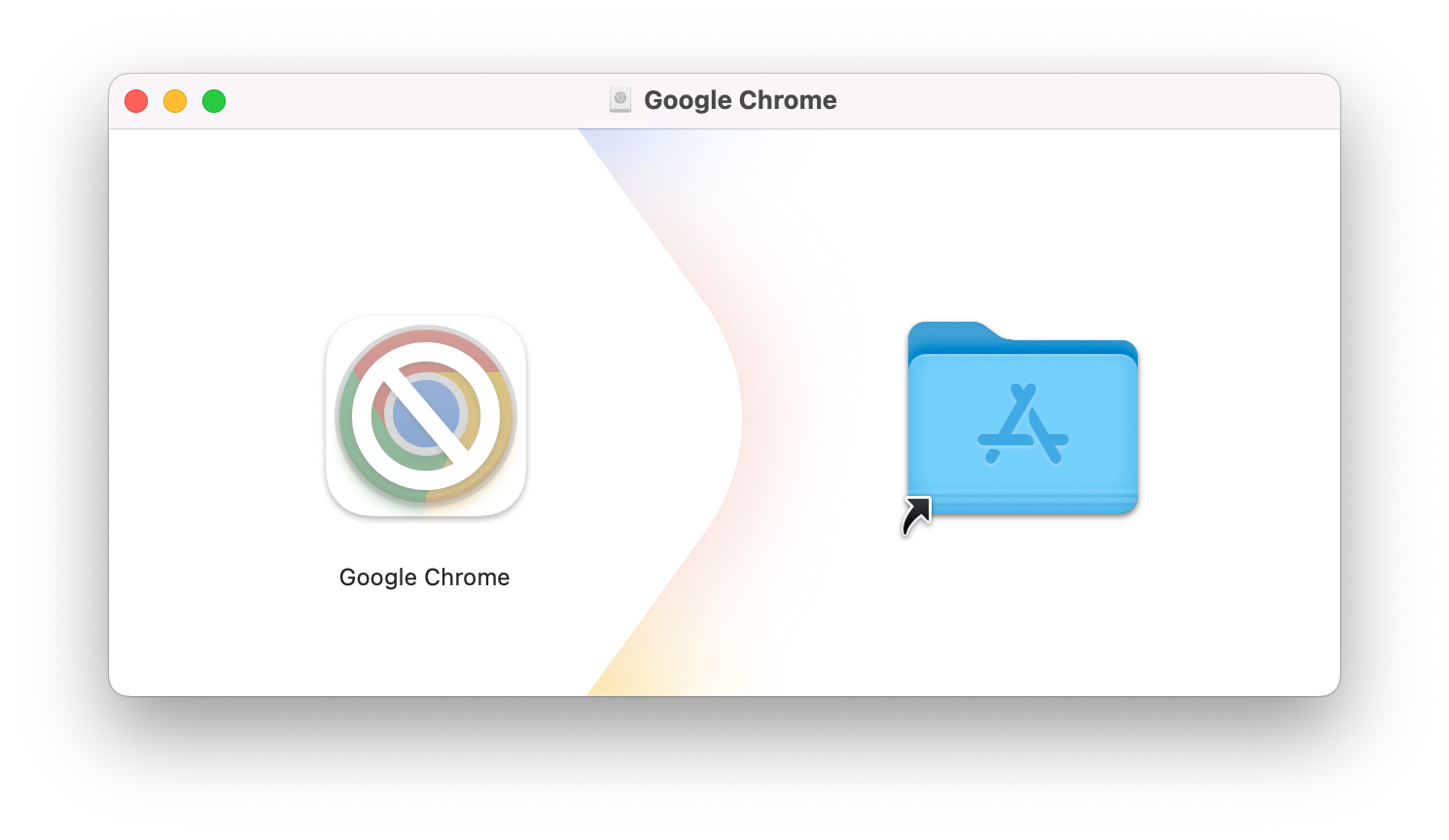
Even if you’ve managed to install it (well, it’s just drag and drop), you will still unable to open it. You’ll get something like this warning message box.
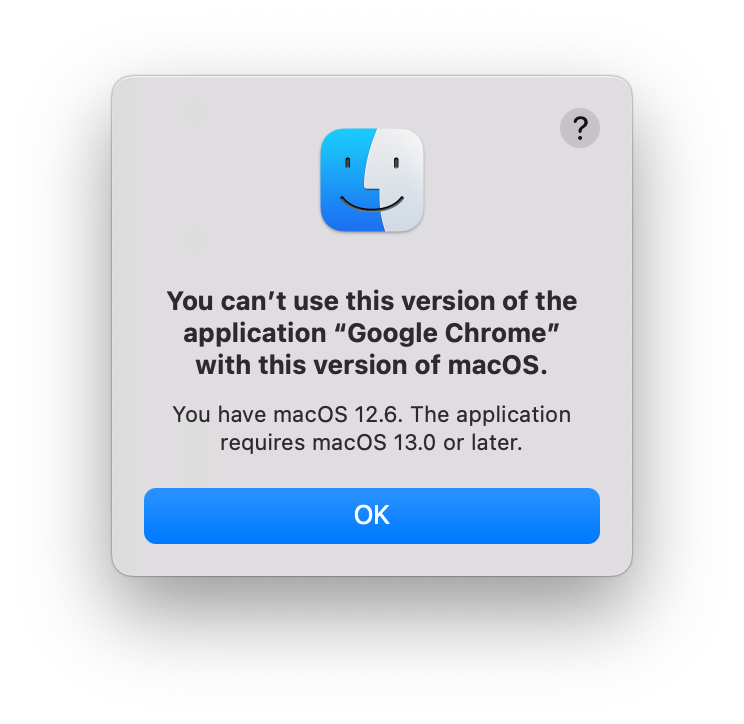
My first advice is to upgrade your macOS to latest version. Web browser is not some app you can use safely if it’s not the latest version.
But, if for whatever reasons you can’t (or won’t) update the macOS, you can still install Google Chrome. No worries about it, because Google is still keeping some last compatible version of Google Chrome for your legacy Mac!
In this article, I listed all direct download links to the Google Chrome app based on your macOS version. Just choose based on your version, download, and install. It’s that simple!
Is It Safe and Genuine?
That is an excellent question. Never trust anything you read on the internet, including my personal website.
The download links I provide here are official download links from Google. They are genuine and safe to download.
I do not host the installers or use third-party servers. The files all come directly from Google.
When you click the download links here, the download will come directly from the Google domain dl.google.com.
All you need to do is select and download the Google Chrome version from the available list based on your macOS version.
Download Google Chrome for Legacy Mac
Below are the download links for older Google Chrome for Mac.
All of them are official links directly from Google, hosted on the dl.google.com domain.
I don’t host these files myself, and they are not from third-party providers, so you don’t need to worry about their authenticity.
- 📦 Download Google Chrome for macOS 27 Golden Gate
- 📦 Download Google Chrome for macOS 26 Tahoe
- 📦 Download Google Chrome for macOS 15 Sequoia
- 📦 Download Google Chrome for macOS 14 Sonoma
- 📦 Download Google Chrome for macOS 13 Ventura
- 📦 Download Google Chrome for macOS 12 Monterey
- 📦 Download Google Chrome for macOS 11 Big Sur
- 📦 Download Google Chrome for macOS 10.15 Catalina
- 📦 Download Google Chrome for macOS 10.14 Mojave
- 📦 Download Google Chrome for macOS 10.13 High Sierra
- 📦 Download Google Chrome for macOS 10.12 Sierra
- 📦 Download Google Chrome for Mac OS X 10.11 El Capitan
- 📦 Download Google Chrome for Mac OS X 10.10 Yosemite
- 📦 Download Google Chrome for Mac OS X 10.9 Mavericks
- 📦 Download Google Chrome for Mac OS X 10.8 Mountain Lion
- 📦 Download Google Chrome for Mac OS X 10.7 Lion
- 📦 Download Google Chrome for Mac OS X 10.6 Snow Leopard
Legacy Google Chrome Releases
The table below display each version release date, minimum OS version, and the download links.
| Version | Release Date | Minimum OS | Download |
|---|---|---|---|
| 150.0.7871.125 | 2026-07-14 | macOS 12.0 | 📦 Universal |
| 138.0.7204.184 | 2025-07-29 | macOS 11.0 | 📦 Universal |
| 128.0.6613.138 | 2024-09-10 | macOS 10.15 | 📦 Universal |
| 116.0.5845.187 | 2023-09-09 | macOS 10.13 | 📦 Universal |
| 103.0.5060.134 | 2022-07-18 | macOS 10.11.0 | 📦 Universal |
| 87.0.4280.88 | 2020-12-02 | macOS 10.10.0 | 📦 x64 |
| 65.0.3325.181 | 2018-03-20 | macOS 10.9.0 | 📦 x64 |
| 49.0.2623.112 | 2016-04-06 | macOS 10.6.0 | 📦 x64 |
Final Thoughts
Hopefully, this simple download resource is helpful for you. I don’t really recommend running older browsers for security reasons. But if you really need it, there is no other choice; then feel free to install it.
As usual, if you have any questions or a better method, leave a comment below. Thanks for reading, and see you next time!
References
Disclaimer
This website is a privately owned independent resource blog. This site is not affiliated with, authorized, endorsed, or sponsored by Google LLC. All product names, logos, and brands are property of their respective owners.
The links provided on this page are direct deep-links to Google's official, public download servers. This site does not host, re-upload, or modify any software files on this server. Users are downloading the official, unaltered binaries directly from Google.
By downloading Chrome, you agree to the Google Terms of Service and Chrome and ChromeOS Additional Terms of Service