
This page contains all versions of Microsoft Teams for Mac grouped by release year.
The download links I provide here are official download links from Microsoft. They are genuine and safe to download.
I do not host the installers or use third-party servers. The files all come directly from Microsoft Team CDN (statics.teams.cdn.office.net).
All you need to do is select and download the app version from the available list.
Microsoft Teams for Mac Releases
Select whichever version you need from the list below.
Jump to Microsoft Teams Release:
2026 | 2025 | 2024 | 2023 | 2019 | 2018 | 2017 | 2016
Microsoft Teams 2026 Releases
| Version | Release Date | Minimum OS | Download |
|---|---|---|---|
| 26289.204.5281.6363 | 2026-09-18 | macOS 12.0 | 📦 Universal |
| 26276.505.5234.9924 | 2026-08-02 | macOS 12.0 | 📦 Universal |
| 26261.303.5165.1465 | 2026-08-02 | macOS 12.0 | 📦 Universal |
| 26246.1709.5146.8945 | 2026-08-02 | macOS 12.0 | 📦 Universal |
| 26225.1708.5124.9749 | 2026-09-14 | macOS 14.0 | 📦 Universal |
| 26225.1706.5101.3140 | 2026-09-08 | macOS 14.0 | 📦 Universal |
| 26213.1006.5011.1671 | 2026-08-12 | macOS 14.0 | 📦 Universal |
| 26198.202.4929.7171 | 2026-07-20 | macOS 14.0 | 📦 Universal |
| 26183.1901.4874.5228 | 2026-07-03 | macOS 14.0 | 📦 Universal |
| 26163.407.4839.8659 | 2026-06-23 | macOS 14.0 | 📦 Universal |
| 26149.1804.4788.5681 | 2026-06-09 | macOS 14.0 | 📦 Universal |
| 26134.1610.4759.7759 | 2026-06-01 | macOS 14.0 | 📦 Universal |
| 26120.3106.4725.800 | 2026-05-20 | macOS 14.0 | 📦 Universal |
| 26106.2113.4690.1073 | 2026-05-11 | macOS 14.0 | 📦 Universal |
| 26106.2108.4669.9776 | 2026-05-06 | macOS 14.0 | 📦 Universal |
| 26093.311.4599.3126 | 2026-04-15 | macOS 13.0 | 📦 Universal |
| 26072.608.4595.8484 | 2026-04-15 | macOS 13.0 | 📦 Universal |
| 26072.605.4546.510 | 2026-03-31 | macOS 13.0 | 📦 Universal |
| 26059.604.4471.2584 | 2026-03-09 | macOS 13.0 | 📦 Universal |
| 26043.2109.4484.3337 | 2026-03-12 | macOS 13.0 | 📦 Universal |
| 26032.605.4378.6183 | 2026-02-12 | macOS 13.0 | 📦 Universal |
| 26015.1401.4272.1018 | 2026-01-16 | macOS 13.0 | 📦 Universal |
| 26004.403.4267.4118 | 2026-01-15 | macOS 13.0 | 📦 Universal |
Microsoft Teams 2025 Releases
| Version | Release Date | Minimum OS | Download |
|---|---|---|---|
| 25331.1107.4213.8634 | 2025-12-22 | macOS 13.0 | 📦 Universal |
| 25306.805.4102.7211 | 2025-11-11 | macOS 13.0 | 📦 Universal |
| 25290.302.4044.3989 | 2025-10-20 | macOS 13.0 | 📦 Universal |
| 25275.2602.4021.9366 | 2025-10-11 | macOS 13.0 | 📦 Universal |
| 25255.703.3981.5698 | 2025-09-25 | macOS 13.0 | 📦 Universal |
| 25255.702.3963.1832 | 2025-09-16 | macOS 13.0 | 📦 Universal |
| 25240.1603.3956.3103 | 2025-09-12 | macOS 13.0 | 📦 Universal |
| 25227.301.3887.7726 | 2025-08-15 | macOS 13.0 | 📦 Universal |
| 25212.2404.3875.1360 | 2025-08-11 | macOS 13.0 | 📦 Universal |
| 25198.1302.3822.1091 | 2025-07-23 | macOS 13.0 | 📦 Universal |
| 25185.205.3812.7741 | 2025-07-18 | macOS 13.0 | 📦 Universal |
| 25163.3001.3726.6503 | 2025-06-13 | macOS 13.0 | 📦 Universal |
| 25151.505.3727.5755 | 2025-06-13 | macOS 13.0 | 📦 Universal |
| 25122.1207.3700.1444 | 2025-06-03 | macOS 13.0 | 📦 Universal |
| 25107.1606.3643.3915 | 2025-05-12 | macOS 13.0 | 📦 Universal |
| 25093.2105.3614.8220 | 2025-04-30 | macOS 13.0 | 📦 Universal |
| 25079.2107.3576.1611 | 2025-04-15 | macOS 13.0 | 📦 Universal |
| 25072.1704.3539.4369 | 2025-04-01 | macOS 13.0 | 📦 Universal |
| 25060.203.3471.5023 | 2025-03-05 | macOS 13.0 | 📦 Universal |
| 25044.2406.3471.4570 | 2025-03-05 | macOS 13.0 | 📦 Universal |
| 25031.1205.3471.1031 | 2025-03-04 | macOS 13.0 | 📦 Universal |
| 25031.1203.3429.7545 | 2025-02-14 | macOS 13.0 | 📦 Universal |
| 25016.1904.3401.2239 | 2025-02-03 | macOS 13.0 | 📦 Universal |
| 25007.203.3361.6689 | 2025-01-16 | macOS 12.0 | 📦 Universal |
| 24335.207.3345.5574 | 2025-01-09 | macOS 12.0 | 📦 Universal |
Microsoft Teams 2024 Releases
| Version | Release Date | Minimum OS | Download |
|---|---|---|---|
| 24335.204.3298.2649 | 2024-12-10 | macOS 12.0 | 📦 Universal |
| 24295.615.3297.8324 | 2024-12-10 | macOS 12.0 | 📦 Universal |
| 24295.606.3238.6194 | 2024-11-09 | macOS 12.0 | 📦 Universal |
| 24277.3502.3161.3007 | 2024-10-04 | macOS 12.0 | 📦 Universal |
| 24256.2503.3156.9924 | 2024-10-03 | macOS 12.0 | 📦 Universal |
| 24244.507.3125.3475 | 2024-09-16 | macOS 12.0 | 📦 Universal |
| 24231.509.3122.5539 | 2024-09-13 | macOS 12.0 | 📦 Universal |
| 24231.507.3099.9636 | 2024-09-03 | macOS 12.0 | 📦 Universal |
| 24215.1002.3039.5089 | 2024-08-05 | macOS 12.0 | 📦 Universal |
| 24193.1707.3028.4282 | 2024-07-30 | macOS 12.0 | 📦 Universal |
| 24180.210.3001.6635 | 2024-07-17 | macOS 12.0 | 📦 Universal |
| 24165.1406.2974.9471 | 2024-07-02 | macOS 12.0 | 📦 Universal |
| 24152.405.2925.6762 | 2024-06-07 | macOS 12.0 | 📦 Universal |
| 24137.2012.2930.9819 | 2024-06-11 | macOS 12.0 | 📦 Universal |
| 24124.1412.2911.3341 | 2024-05-31 | macOS 12.0 | 📦 Universal |
| 24102.2214.2869.7475 | 2024-05-10 | macOS 12.0 | 📦 Universal |
| 24091.213.2852.3731 | 2024-05-02 | macOS 12.0 | 📦 Universal |
| 24091.212.2846.1453 | 2024-04-29 | macOS 12.0 | 📦 Universal |
| 24074.2607.2799.9843 | 2024-04-04 | macOS 12.0 | 📦 Universal |
| 24060.2809.2788.1256 | 2024-03-29 | macOS 12.0 | 📦 Universal |
| 24046.2813.2770.1094 | 2024-03-20 | macOS 12.0 | 📦 Universal |
| 24046.2812.2722.8193 | 2024-02-26 | macOS 12.0 | 📦 Universal |
| 24033.812.2721.9190 | 2024-02-26 | macOS 12.0 | 📦 Universal |
| 24004.1304.2655.7488 | 2024-01-26 | macOS 12.0 | 📦 Universal |
| 23320.3110.2622.1325 | 2024-01-10 | macOS 10.15 | 📦 Universal |
Microsoft Teams 2023 Releases
| Version | Release Date | Minimum OS | Download |
|---|---|---|---|
| 23335.208.2601.834 | 2023-12-27 | macOS 12.0 | 📦 Universal |
| 23320.3107.2575.3762 | 2023-12-12 | macOS 10.15 | 📦 Universal |
| 23306.3408.2576.5406 | 2023-12-12 | macOS 10.15 | 📦 Universal |
| 23306.3406.2547.5131 | 2023-11-28 | macOS 10.15 | 📦 Universal |
| 23285.3809.2525.961 | 2023-11-16 | macOS 10.15 | 📦 Universal |
| 23285.3806.2513.4535 | 2023-11-10 | macOS 10.15 | 📦 Universal |
| 23285.3805.2505.9215 | 2023-11-08 | macOS 10.15 | 📦 Universal |
| 23285.3804.2469.4861 | 2023-10-24 | macOS 10.15 | 📦 Universal |
| 23272.2708.2452.9689 | 2023-10-17 | macOS 10.15 | 📦 Universal |
| 23247.720.2421.8365 | 2023-10-03 | macOS 10.15 | 📦 Universal |
Microsoft Teams 2019 Releases
| Version | Release Date | Minimum OS | Download |
|---|---|---|---|
| 1.00.23961 | 2019-02-08 | macOS 10.10.0 | 📦 x64 |
| 1.00.21761 | 2019-01-18 | macOS 10.10.0 | 📦 x64 |
Microsoft Teams 2018 Releases
| Version | Release Date | Minimum OS | Download |
|---|---|---|---|
| 1.00.131953 | 2018-11-15 | macOS 10.10.0 | 📦 x64 |
| 1.00.126352 | 2018-09-20 | macOS 10.10.0 | 📦 x64 |
| 1.00.125655 | 2018-09-13 | macOS 10.10.0 | 📦 x64 |
| 1.00.125455 | 2018-09-11 | macOS 10.10.0 | 📦 x64 |
| 1.00.119253 | 2018-07-12 | macOS 10.10.0 | 📦 x64 |
| 1.00.117852 | 2018-06-28 | macOS 10.10.0 | 📦 x64 |
| 1.00.117551 | 2018-06-24 | macOS 10.10.0 | 📦 x64 |
| 1.00.116251 | 2018-06-12 | macOS 10.10.0 | 📦 x64 |
| 1.00.114353 | 2018-05-24 | macOS 10.10.0 | 📦 x64 |
| 1.00.111551 | 2018-05-22 | macOS 10.10.0 | 📦 x64 |
| 1.00.18752 | 2018-03-29 | macOS 10.10.0 | 📦 x64 |
| 1.00.15851 | 2018-02-28 | macOS 10.10.0 | 📦 x64 |
Microsoft Teams 2017 Releases
| Version | Release Date | Minimum OS | Download |
|---|---|---|---|
| 1.00.034151 | 2017-12-08 | macOS 10.10.0 | 📦 x64 |
| 1.00.019452 | 2017-07-13 | macOS 10.10.0 | 📦 x64 |
| 1.00.016451 | 2017-06-13 | macOS 10.10.0 | 📦 x64 |
| 1.00.014454 | 2017-05-25 | macOS 10.10.0 | 📦 x64 |
| 1.00.013751 | 2017-05-18 | macOS 10.10.0 | 📦 x64 |
| 1.00.013152 | 2017-05-12 | macOS 10.10.0 | 📦 x64 |
| 1.00.010951 | 2017-04-20 | macOS 10.10.0 | 📦 x64 |
| 1.00.08201 | 2017-03-23 | macOS 10.10.0 | 📦 x64 |
| 0.00.75204 | 2017-02-22 | macOS 10.10.0 | 📦 x64 |
Microsoft Teams 2016 Releases
| Version | Release Date | Minimum OS | Download |
|---|---|---|---|
| 0.00.634901 | 2016-12-14 | macOS 10.10.0 | 📦 x64 |
| 0.00.629902 | 2016-10-25 | macOS 10.10.0 | 📦 x64 |
Resolving Teams No Longer Supported Issue
Even after you download the correct version based on your current macOS version and successfully install it, there is still a chance that the Microsoft Teams server will reject your connection. One common error message people get is like this:
Teams is no longer supported on this version of OS
Update your OS, or contact your IT department. For now, you could try using Teams on the web.
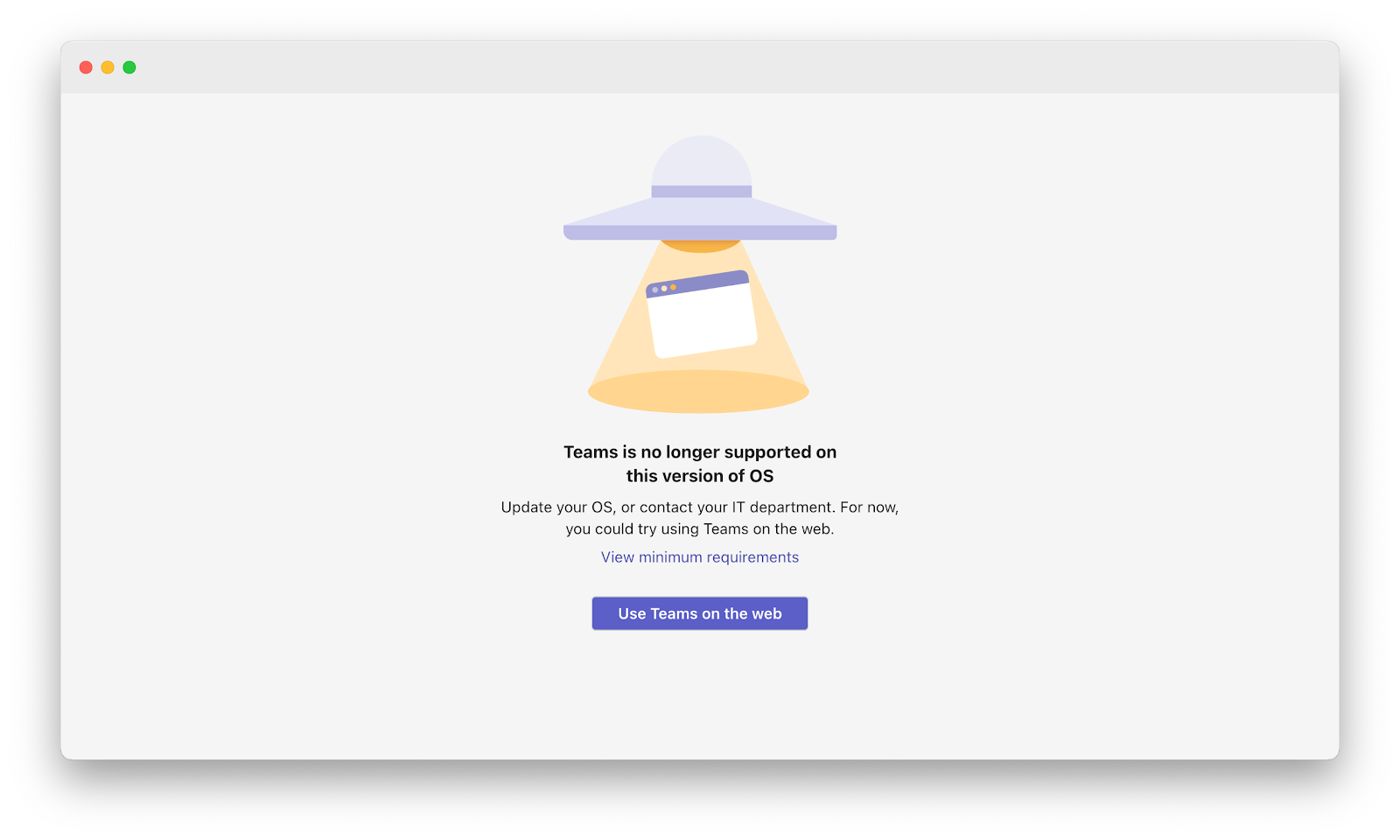
In that case, you have only two options: upgrade your OS and update the latest Teams version, or just use Microsoft Teams on the web.
If you can’t or won’t update your macOS version, then the only alternative left is to use Teams on the web. You need to install the latest compatible version of Microsoft Edge or Google Chrome and open Teams on the web with one of the following URLs:
- https://teams.live.com/ - For personal Outlook account
- https://teams.microsoft.com/ - For business or enterprise account
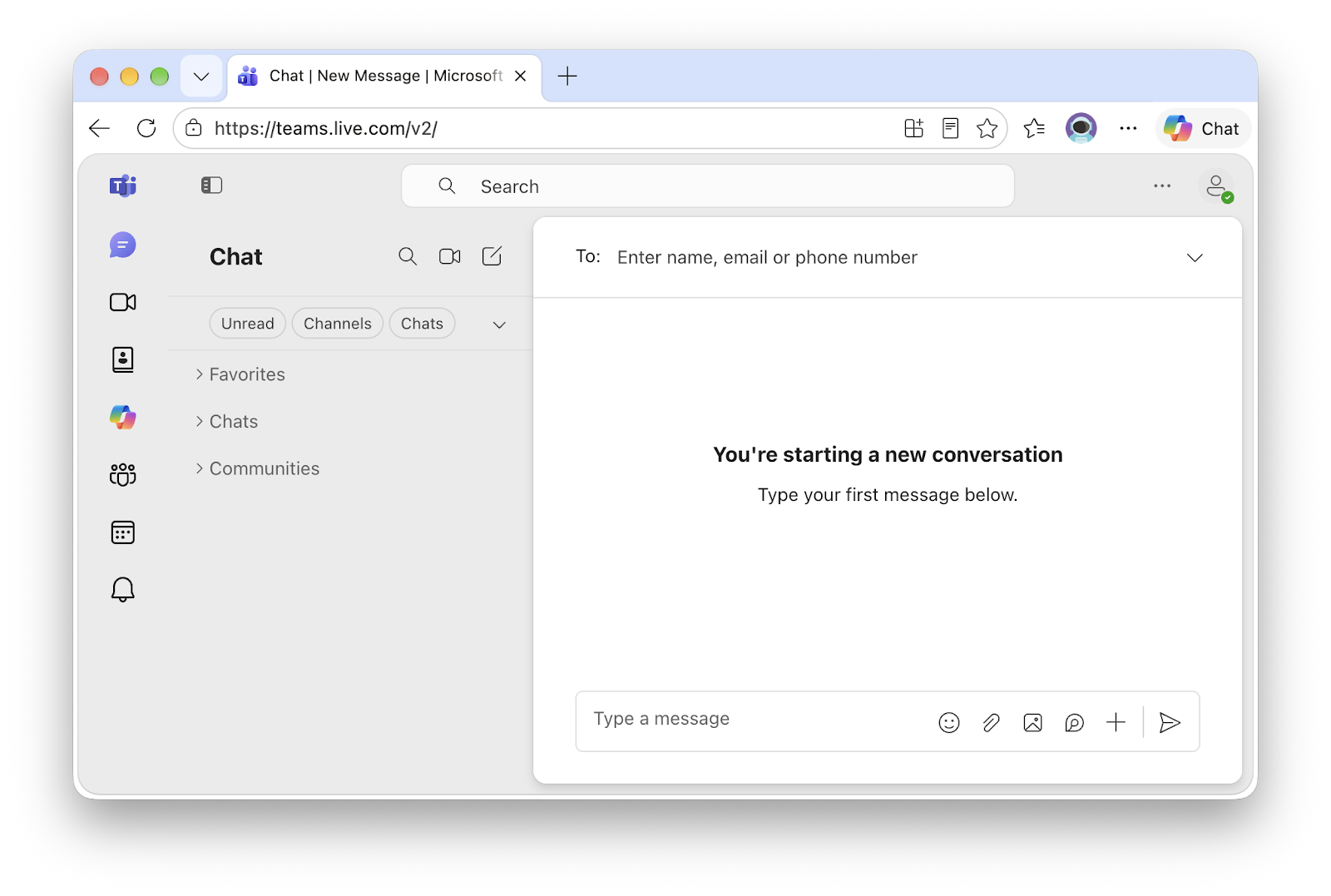
It may be missing some features, but overall you can use Microsoft Teams on the web similarly to how you use Teams installed on your Mac. I personally always use Teams on the web to save some precious SSD storage on my Mac, and it’s been working great!
Final Thoughts
Thanks for reading my blog!
As usual, if you have any questions or a better method, leave a comment below. Thanks for reading, and see you next time!