
Recently I’ve been playing some games with my Steam Deck. I was thinking to turn it into more than just a gaming handheld. I want it to replace my iPad, which is just a glorified YouTube and Netflix machine.
So I use the Mozilla Firefox browser to play YouTube and Netflix videos. It works perfectly when on Desktop Mode without any issue.
Then I add Mozilla Firefox to Steam launcher so I can open it when on Gaming mode.
At first I thought it had no issue. The videos play just fine. But when I tried to set the video to full screen, it didn’t work. The size of the video became so weird.
Then I stumbled upon this simple trick to fix it from Reddit. Here’s how to fix it.
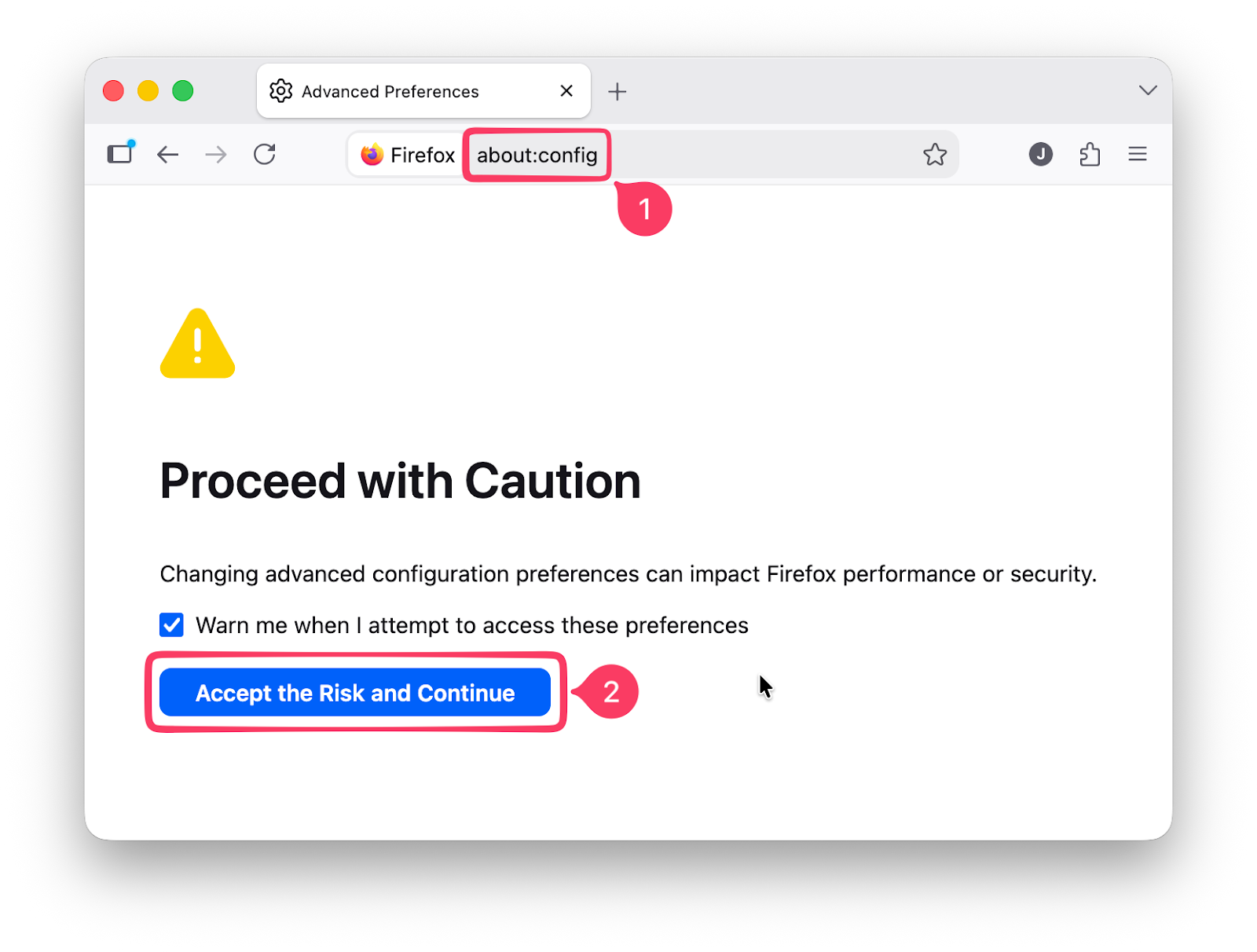
- First, let’s enter the
about:configfrom the Firefox address bar. - It’ll show a warning, no need to be scared about it, just click Accept the Risk and Continue.
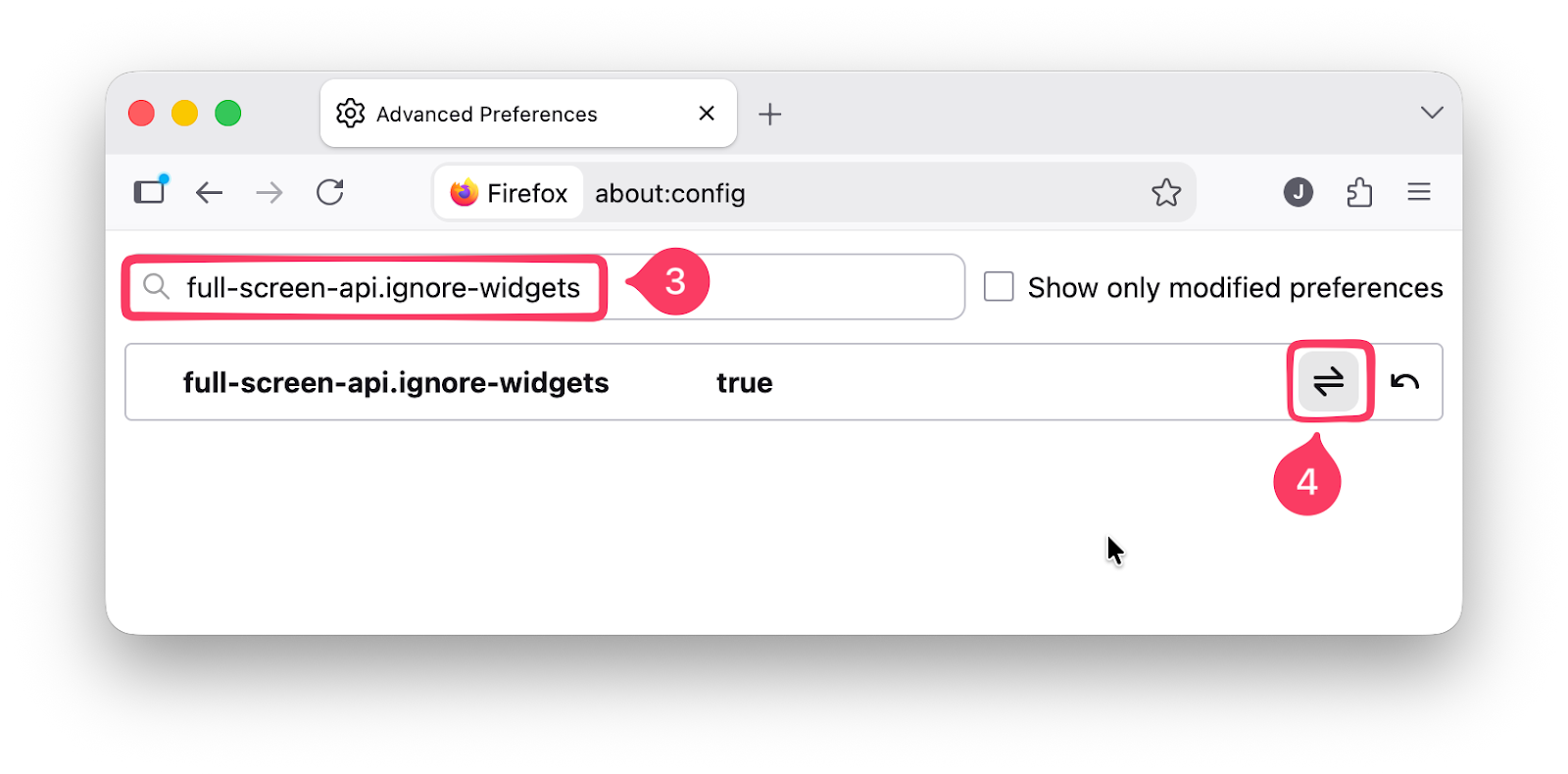
- Then search for the
full-screen-api.ignore-widgetskey. - The default value is
false. Click theTogglebutton shown in the picture below to set it totrue.
And that’s it. Open the Firefox from Gaming Mode. Play a video on YouTube, Netflix, or Jellyfin. Then set it to full screen. This time it’ll work beautifully!
Final Thoughts
That’s it for today’s post. Hopefully, it’s somewhat useful.
Special thanks to /u/SaltyJr for sharing this trick on Reddit!
As usual, if you have any questions or a better method, leave a comment below. Thanks for reading, and see you next time!