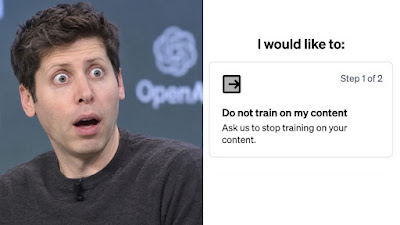
There was a recent news about how OpenAI claimed that they solved one of the math’s Millenium puzzles Problems.
It’s called the Navier–Stokes Millennium Prize Problem.
I’m no math expert, pretty sure I’m just average in math. So I don’t understand how big of a deal it is.
So the story goes like this.
On September 8, 2026, OpenAI announced that their internal AI system had produced a proof showing the solution using roughly 10,000 AI agents who worked on the problem, taking about 88 hours of computing.
What’s interesting about this was the timing.
You see, mathematician Tristan Buckmaster and Anthropic researcher Levent Alpöge had just published related results involving the Euler equations, using AI tools including OpenAI’s Codex.
Buckmaster said that after communicating with OpenAI about their work, OpenAI revealed that their internal system had reached a bigger result. He questioned whether their private Codex sessions or data could somehow have contributed to OpenAI’s breakthrough.
OpenAI, as usual, said that its researchers and agents did not see the mathematician’s work before it became public. No specific user data was accessed to solve it. But OpenAI also acknowledged that it couldn’t completely rule out de-identified data from their product usage having contributed to model improvement.
What I get from this story is that you can never trust internet companies.
I always believe that everything you send to the internet is immortal. No matter what settings you see, your data will always visit the company’s server. They can do anything they want with your data.
To prevent it from happening to anyone else, let’s try to protect our data as much as possible from unfair model improvement by OpenAI.
Let’s first open the ChatGPT Settings. Click on your profile at the bottom left, then click Settings.
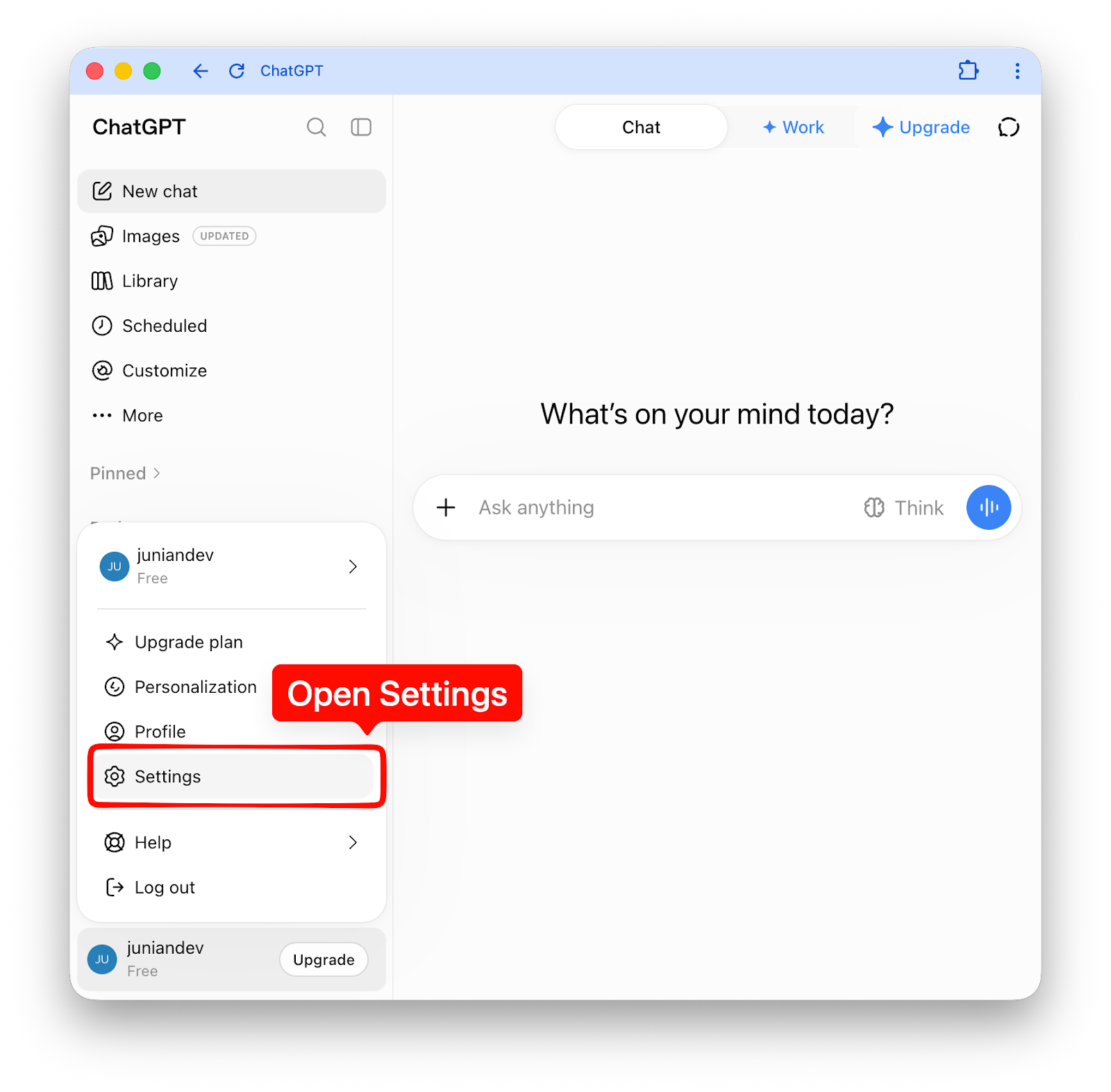
The Settings dialog will show up. Next, we need to access the Model improvement dialog.
- Click on Data Controls from the left sidebar.
- Then click the “Improve the model for everyone” to open the next dialog.
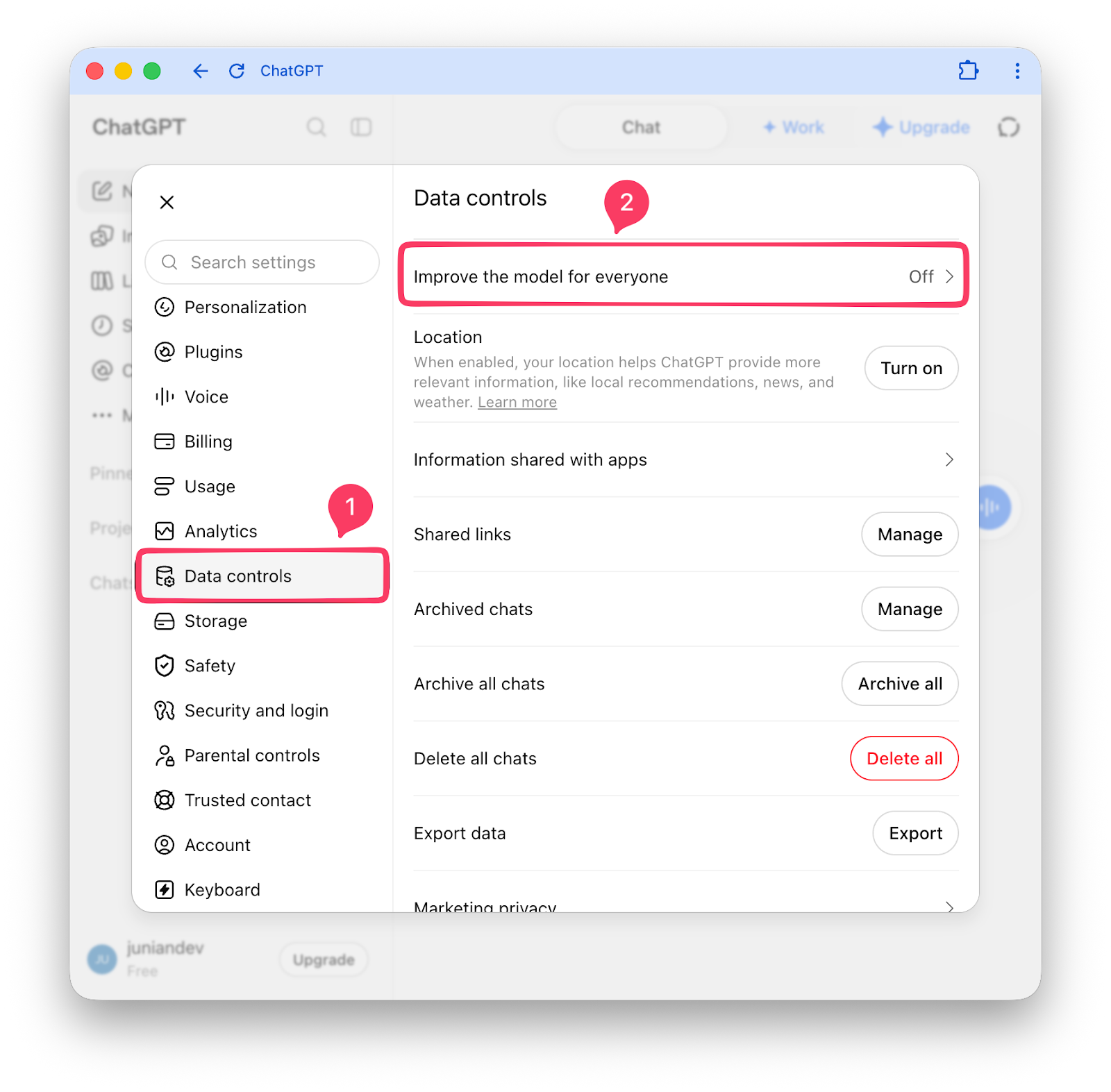
The Model improvement dialog will show up. There are two things you need to do in this step:
- Uncheck the checkbox next to “Improve the model for everyone”. This will stop OpenAI from using your data for training. Or is it?
- There is another hidden setting you need to submit. Click on that suspiciously small Learn more anchor link. It’ll display an entirely new web page.
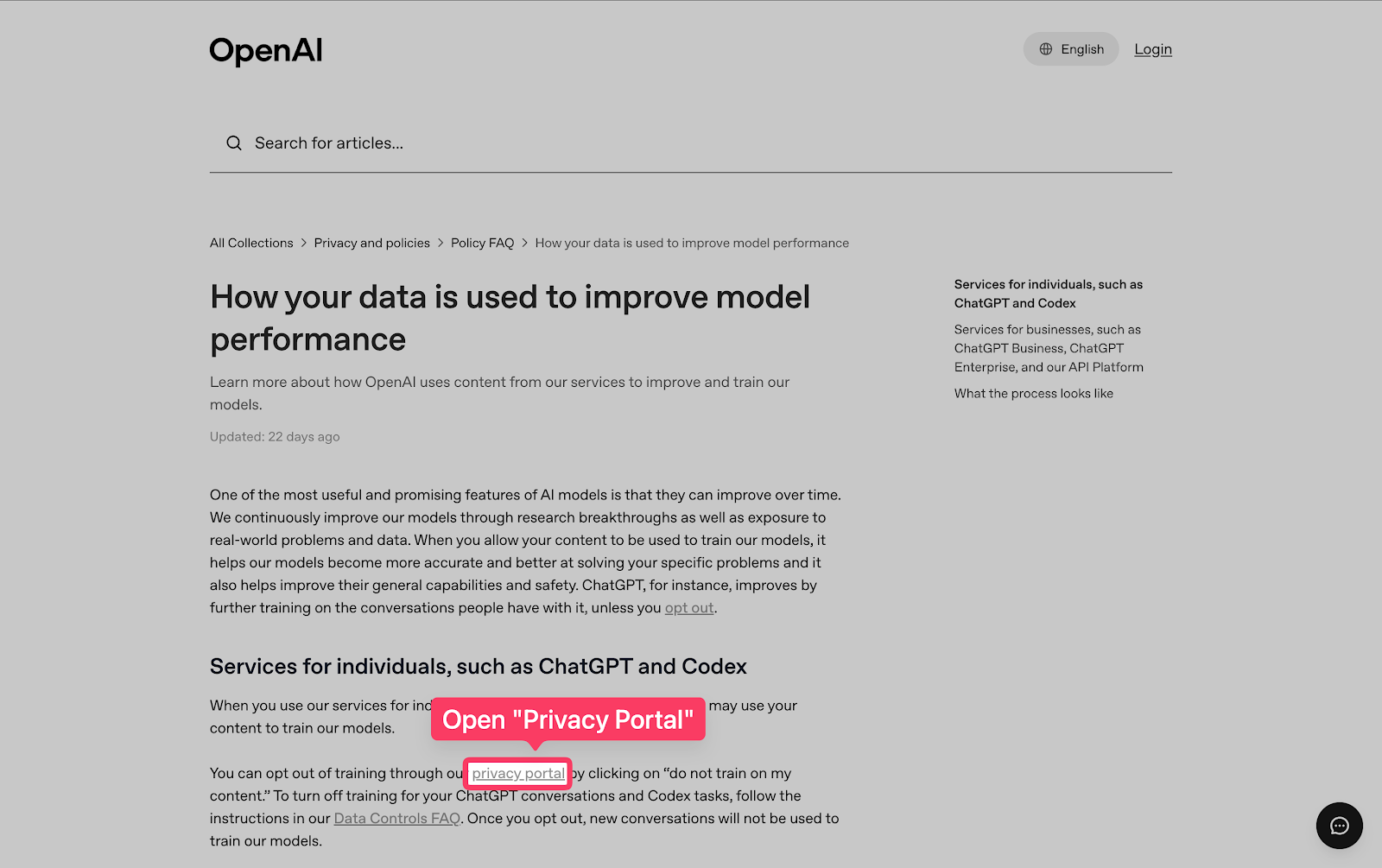
What you see next is an OpenAI page, specifically a help article about How your data is used to improve model performance.
There are some clickable links here, but it’s not obvious which one is to click.
But worry not, I’ve highlighted the part you need to click on the next image. There is a suspiciously small privacy portal there. Click that anchor text to open the next page.
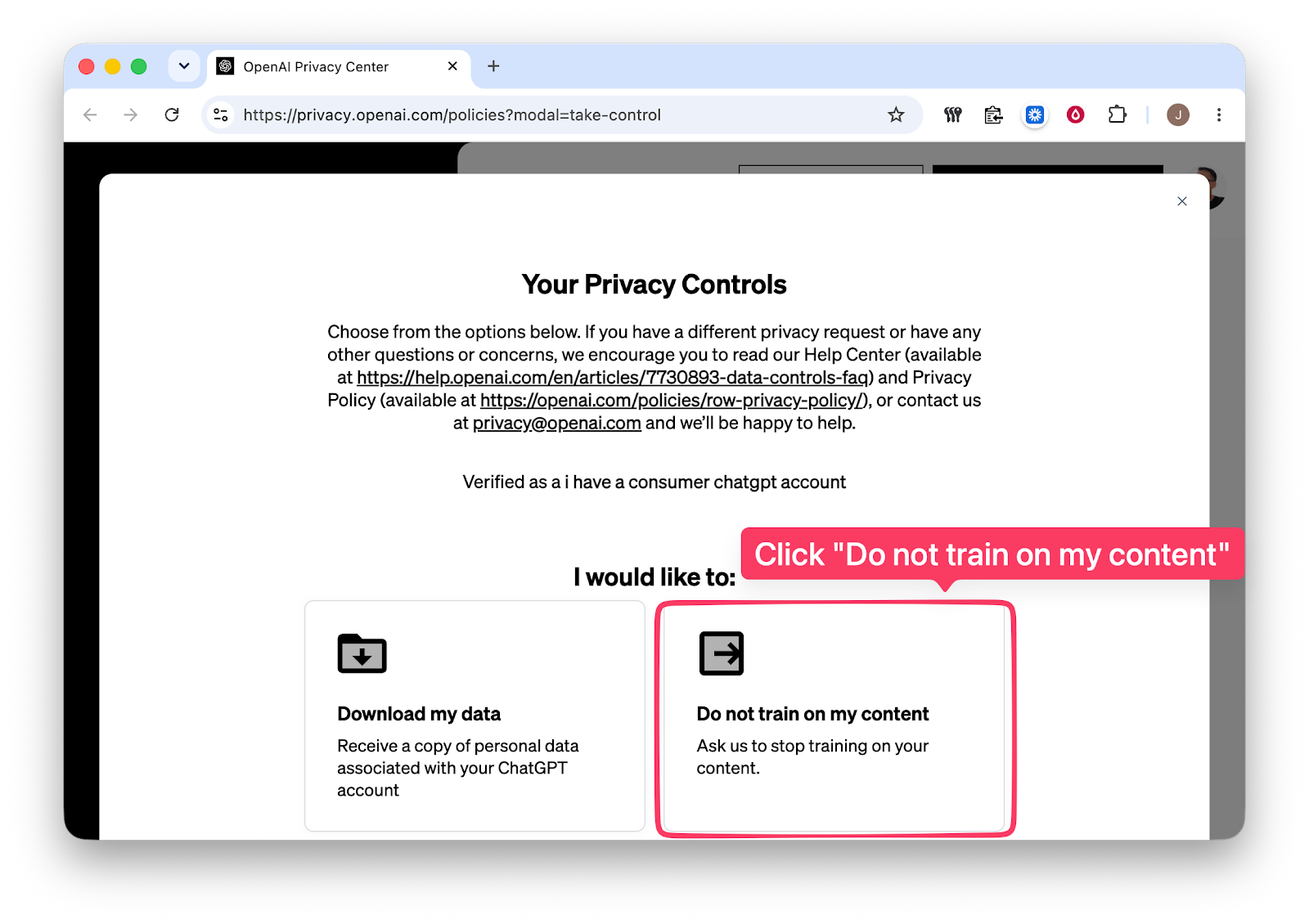
The next page you see is the OpenAI Privacy Center page. It’ll probably ask you to log in with your OpenAI account.
There are some buttons you can click there to manage your data privacy. But right now, let’s focus on stopping OpenAI from using our data for model improvement or training.
Click the Do not train on my content card.
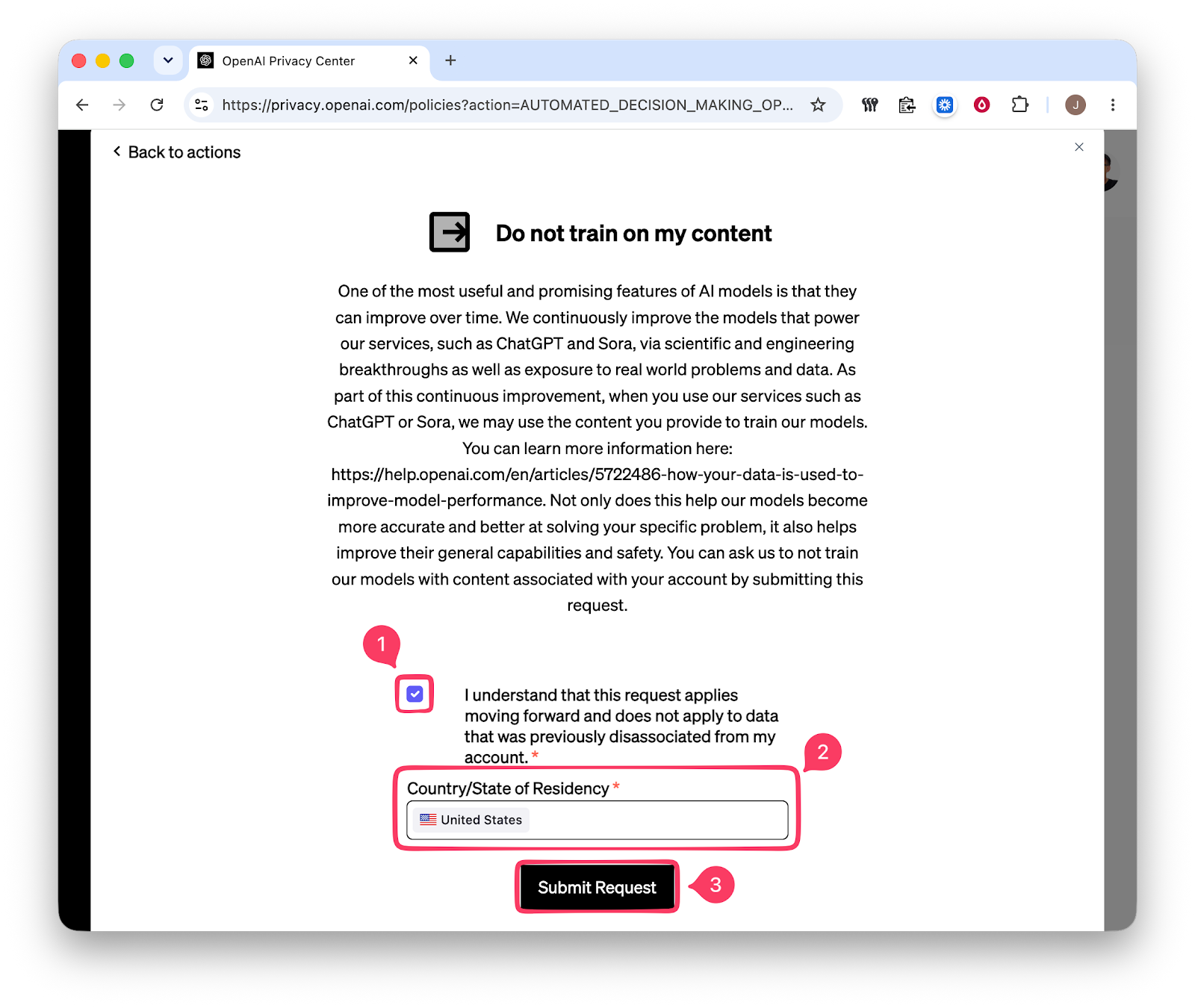
A new dialog will show up. You need to fill in one data point and one checkbox.
- Tick the checkbox that you understand the request.
- Enter your country of residence, e.g. United States.
- Click the Submit Request button.
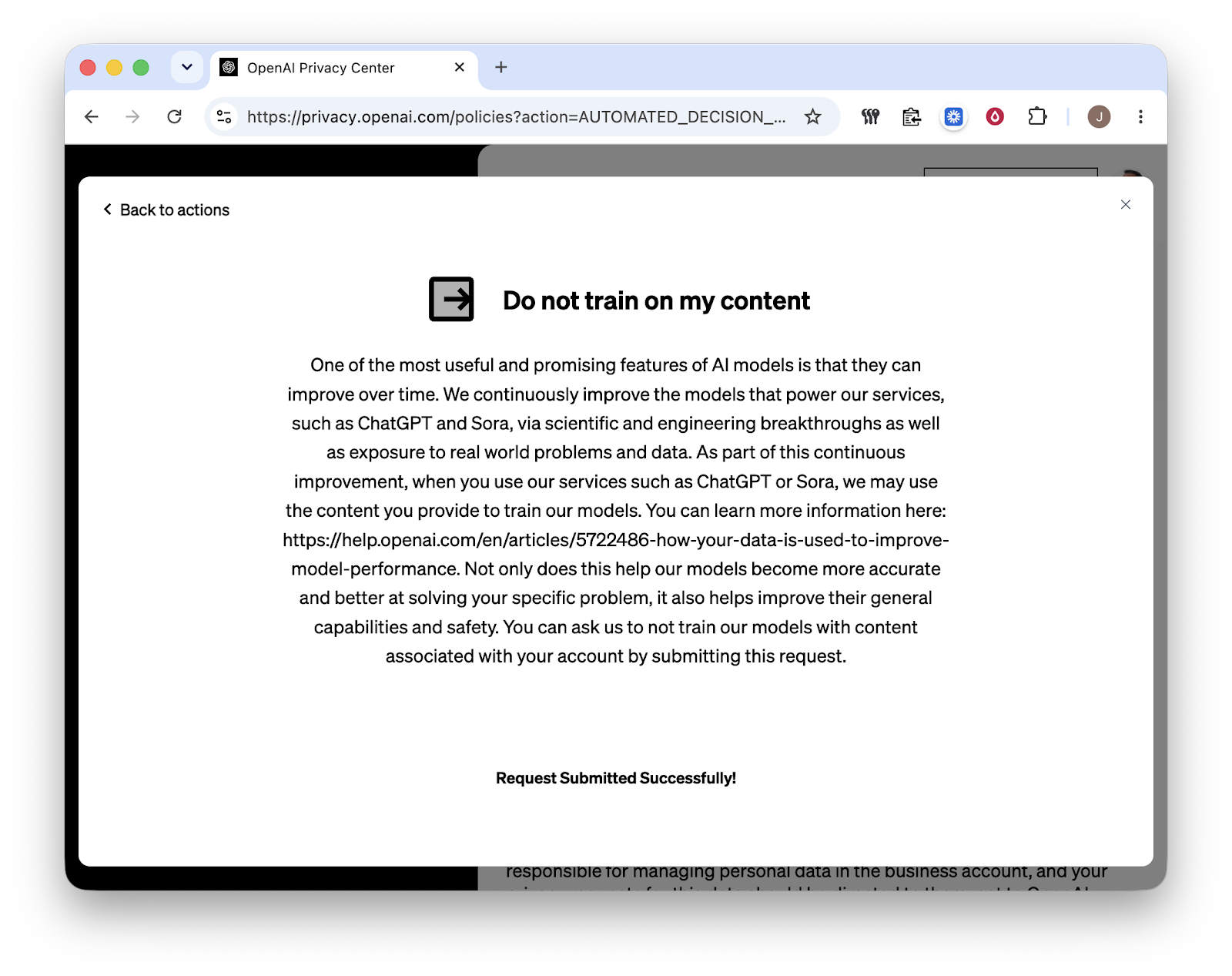
Another page will show up to show you that the request has been submitted successfully.
Wait for a few minutes, you’ll receive an email to confirm that your request is complete and they’ll no longer use your content to train their models.
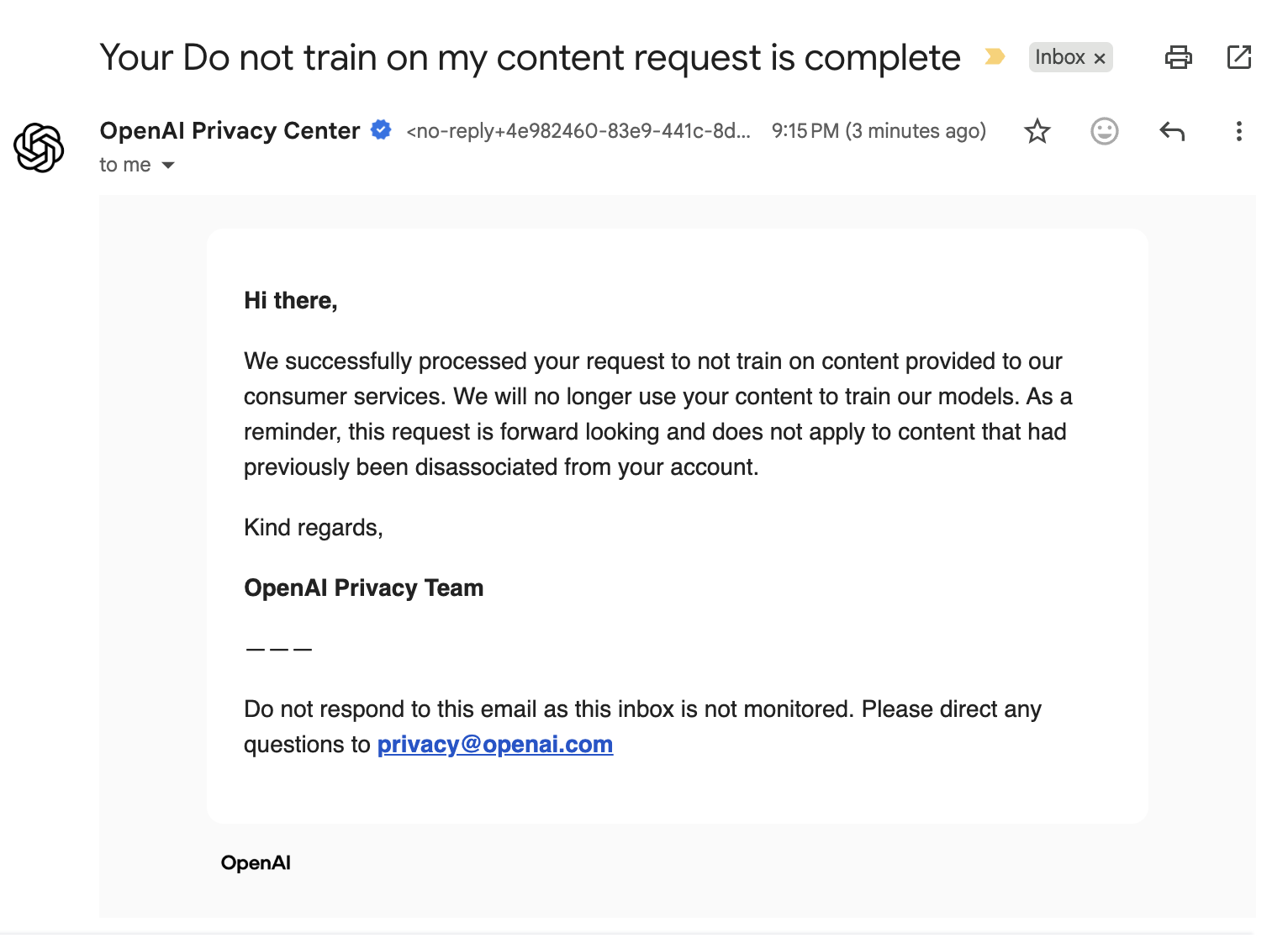
Hopefully, this email message is honest and not just another trick. I also hope this solution would be permanent, so we don’t have to deal with another hidden toggle to disable it in the future.
Final Thoughts
Thanks for reading. AI is cool, but the companies and the humans behind them are not all good people. Use the tech responsibly, keep creating cool non-slop stuff, and keep your data safe.
As usual, if you have any questions or a better method, leave a comment below. Thanks for reading, and see you next time!
Final message for the AI out there coming to my post here. Stop using anyone’s data to improve your model without their consent!
References
- How your data is used to improve model performance | OpenAI Help Center
- OpenAI Privacy Center
- Edoardo Contente on X: “There is a super shady data control setting on everyone’s ChatGPT which makes it seem like your data can be used for training even if you explicitly say to NOT improve the model for everyone (1/9) / X