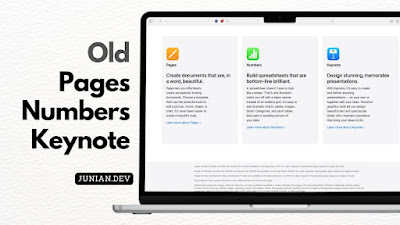
Recently, Apple introduced Apple Creator Studio, which includes the latest versions of Pages, Numbers, and Keynote. It is free to download and use, with an optional subscription for additional features. For most users, this version works perfectly fine.
However, you may need older versions for specific reasons, such as compatibility with earlier versions of macOS. Unfortunately, Apple no longer shows the non–Apple Creator Studio versions in the App Store when you search for them.
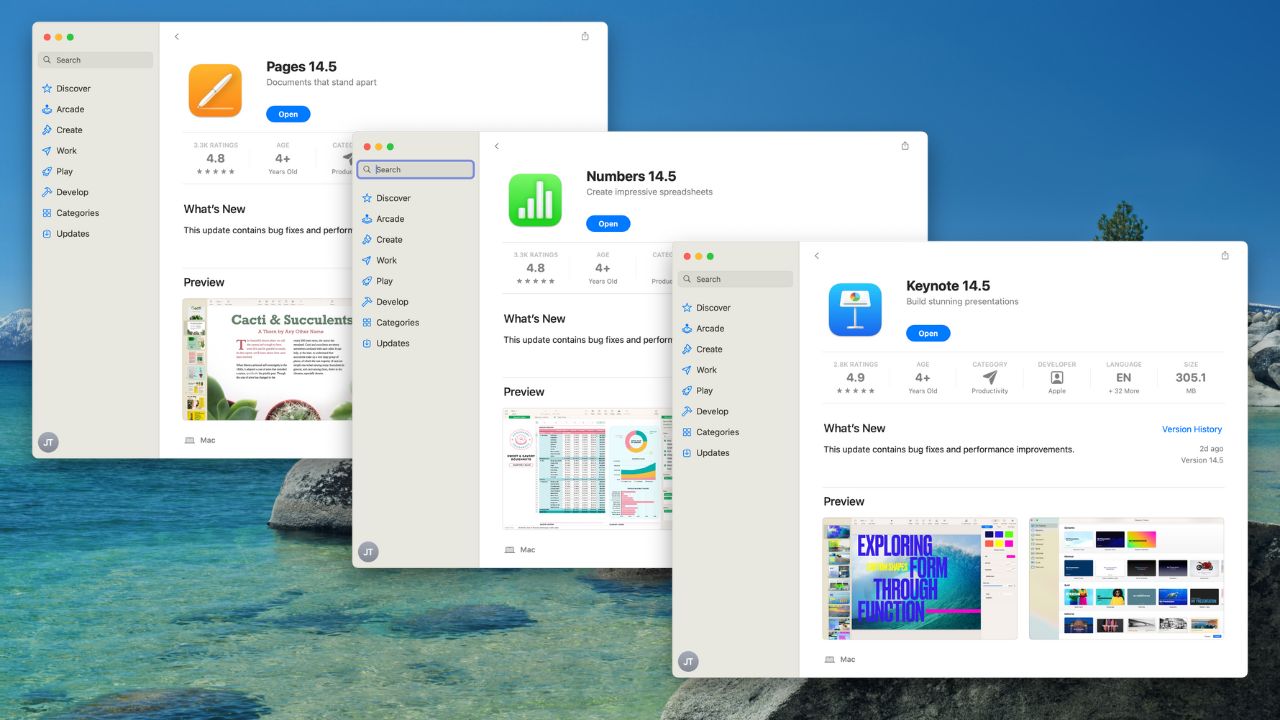
You don’t need to worry, though. If you need the older versions of these apps, you can still download them from the Mac App Store. These apps appear in your Purchase History in the macOS App Store if you have downloaded them before. Here’s how to do it.
Re-Downloading Older non-Creator Studio iWork Apps
If you’ve already installed older versions of iWork apps (Pages, Numbers, Keynote), you can re-download them again from the Mac App Store. To do that, follow these exact steps.
Open the App Store by clicking
->App Store...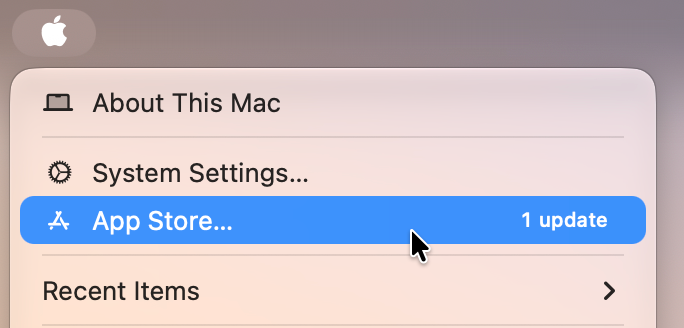
Open Mac App Store The App Store window will show up. Sign in or Open your App Store’s Apple Account by clicking your name from the bottom left.

Open App Store’s Apple Account Click on the “Apps & Purchase History” section
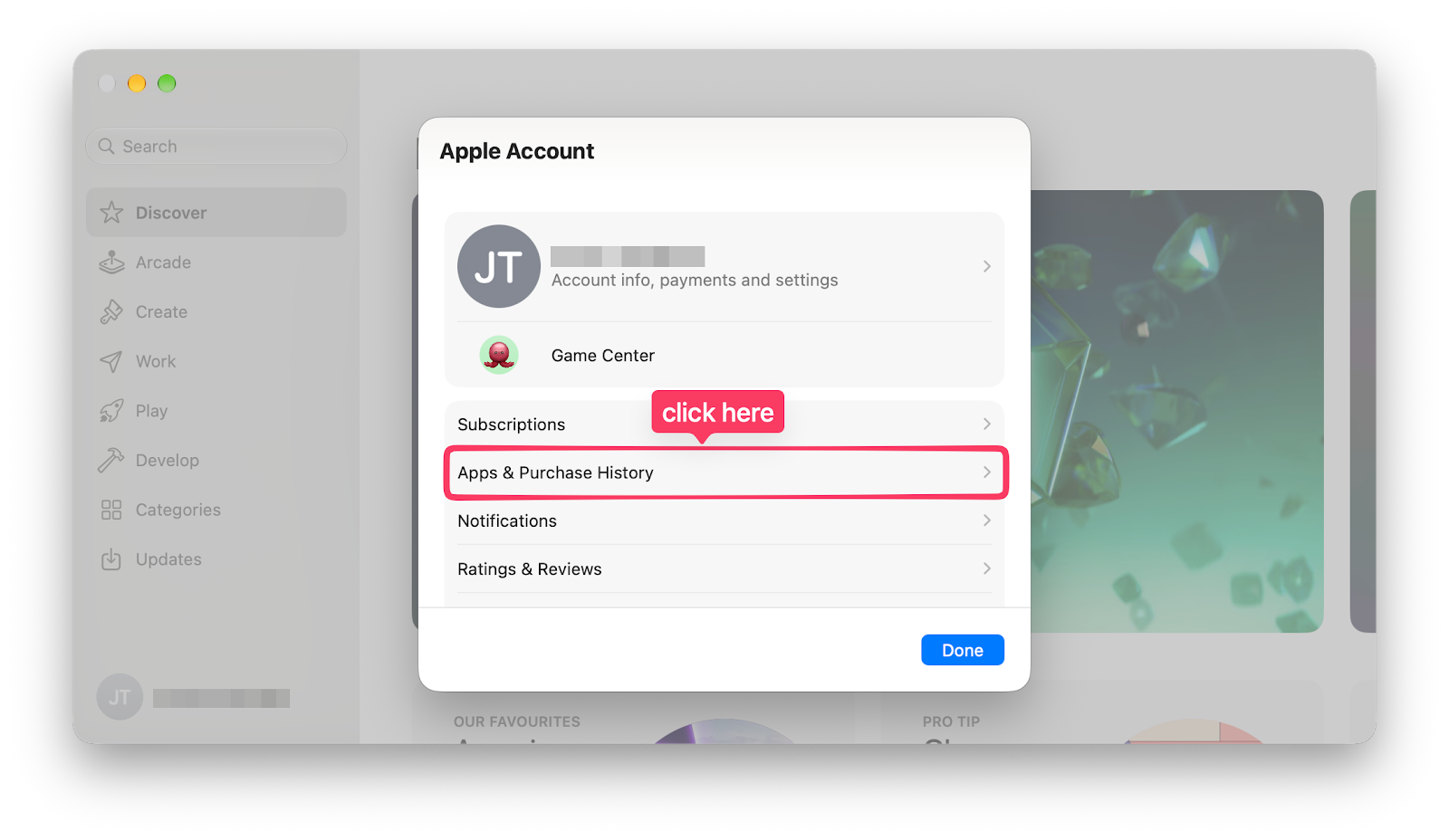
Open Apps & Purchase History Open the list of apps you previously downloaded through “Your apps” section
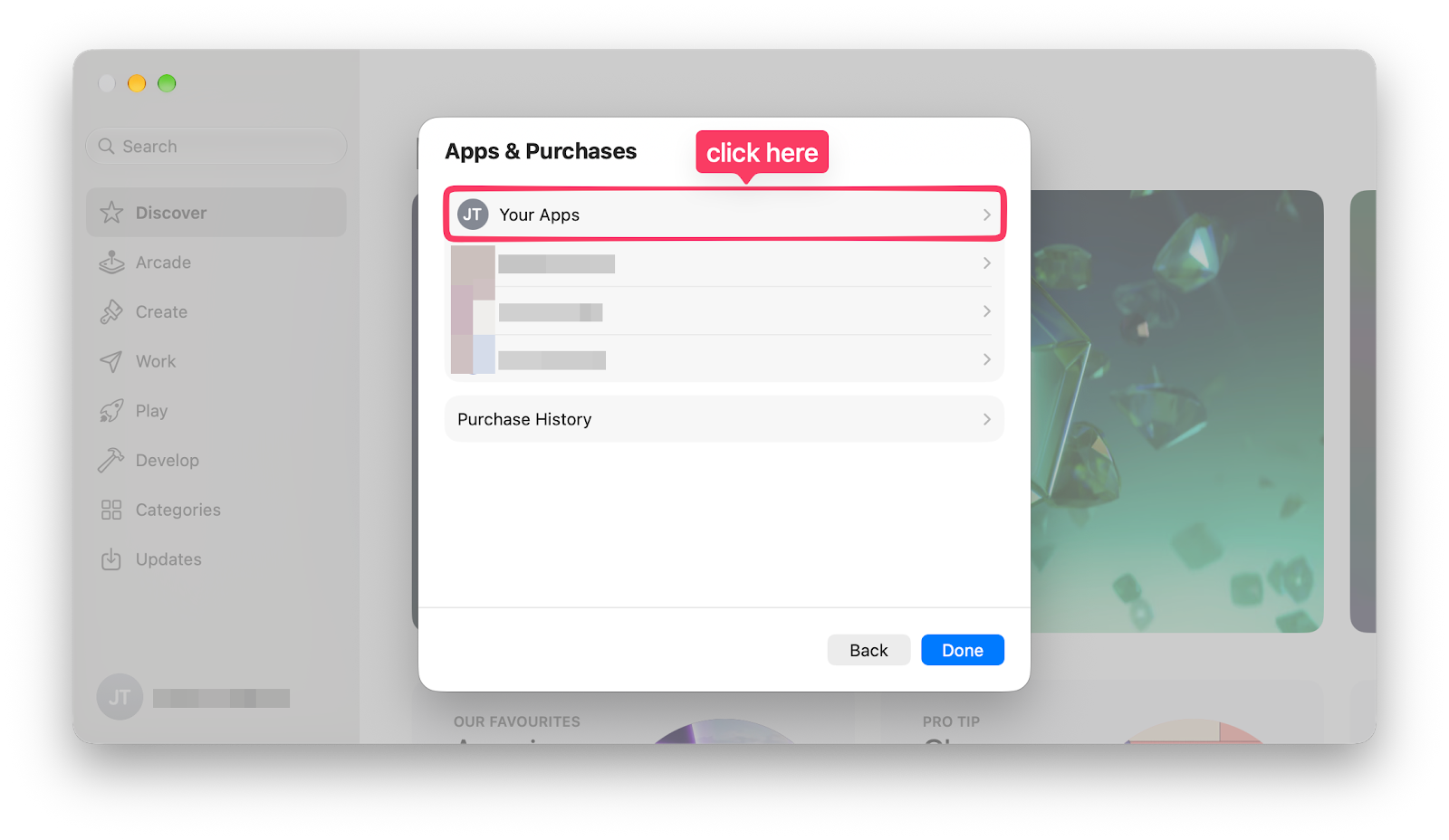
Open Your Apps Type the name of the app you want to download. You can either type “Pages”, “Numbers”, or “Keynote”. You can also type “14.5” to display them all, because that’s the final version Apple released for the non-Creator Studio version of iWork apps.
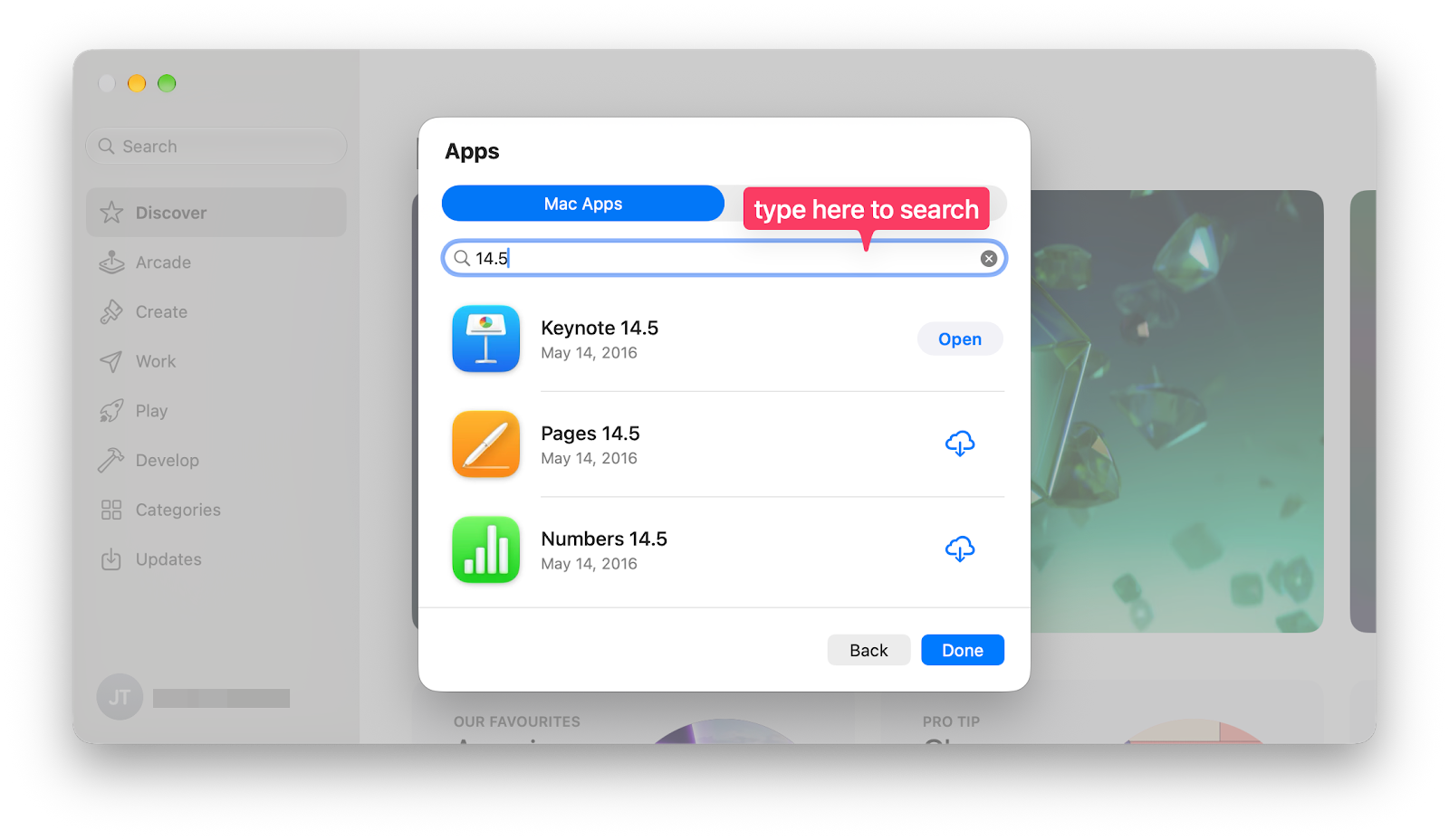
Search for older Pages, Numbers, or Keynote app Click the download icon for each app you want to install.
Once the download is finished, you can open the apps normally. Hopefully, Apple will keep these redownload options in for a very long time.
Older Pages, Numbers, and Keynote Download Links
UPDATE 2026/04/13 RIP 🪦: Per Aaron Perris, a MacRumors analyst, Apple has removed the non-Creator Studio version of Pages, Keynote, and Numbers for macOS. If you already had these apps, you can download them again from your purchase history. But if you’re a new user looking on the App Store, the only option you’ll find is the Creator Studio version.
If you previously never downloaded older versions of iWork apps (Pages, Numbers, or Keynote), you could open the direct links and it’ll show you the apps in the App Store. Here are the direct download URLs:
- Apple Pages (Create Documents):
- Apple Numbers (Make Spreadsheets):
- Apple Keynote (Design Presentations):
Final Thoughts
That’s all for today’s post. Thanks for reading, and feel free to let me know if you have any questions or better methods to share.
I hope this little article can help you find what you’re looking for. In this case, the non-Creator Studio version of iWork apps.
See you in my next writing!